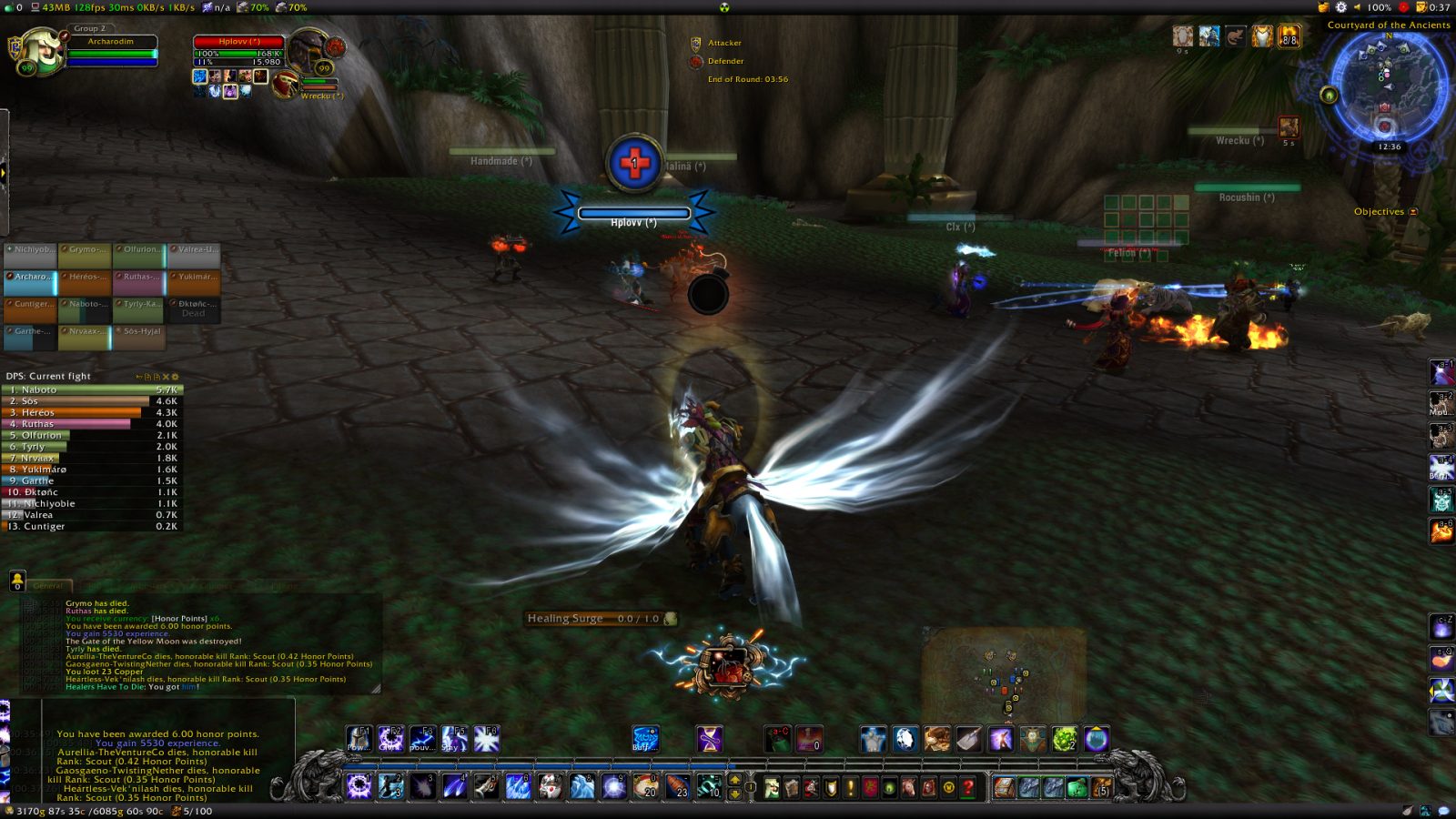
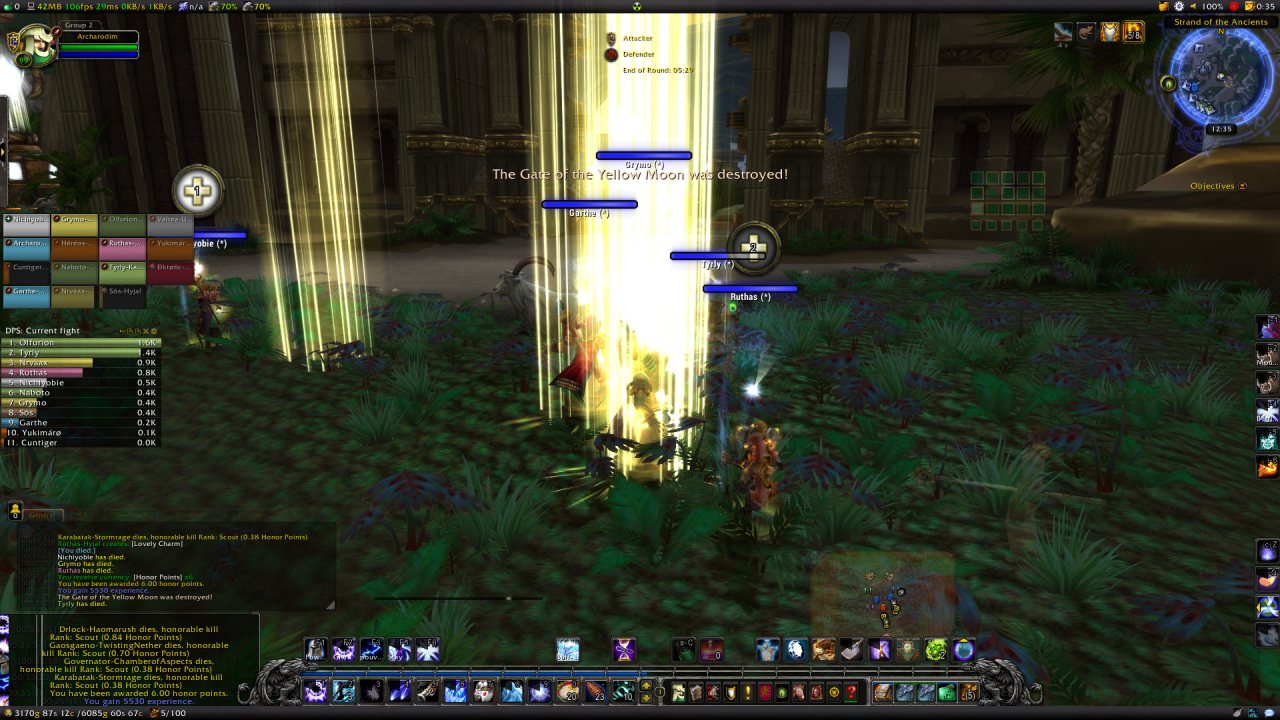
In World of Warcraft healers have to die. This is a cruel truth that you're taught very early in the game. This add-on helps you influence this unfortunate destiny in a way or another depending on the healer's side...
H.H.T.D.
In World of Warcraft healers have to die (H.H.T.D). This is a cruel truth that you're
taught very early in the game. This add-on helps you influence this unfortunate
destiny in a way or another depending on the healer's side...
This add-on is now known as H.H.T.D.
I originally chose the original name as a provocation to make one of the basic
cruel truths of World of Warcraft perfectly obvious to everyone. Now I find
this name too harsh, too long and mostly not specific enough to WoW.
As an author I could not stand that name anymore. This add-on does have an
existence (and meaning) both in WoW and in the real world where obviously we
don't want the death of our beloved healers...
While H.H.T.D is just an acronym of the original name, it will stay in World of
Warcraft where it belongs.
Current features:
- HHTD automatically adds healer symbols on top of players nameplate indicating
their class and healing rank. Unlike other add-ons it only takes into account
actively healing players. (It uses different symbols for friends and foes).
- HHTD lets you apply custom marks on top of any unit's nameplate. These are the
same marks as the default raid markers but you can set as many as you want
and customize their look.
These marks persist across game sessions. (They are only visible to you)
IMPORTANT NOTE: You have to enable nameplates, else you won't see any healer symbol!
- HHTD lets you announce through a customizable message who the
enemy and friendly healers are (using the Raid Warning channel if possible).
- It will also help you protect the healers who are on your side alerting you
when they are being attacked (check the option panel for details).
- Helps you target healers easily when they are in a pack.
- All of this applies to PVP and PVE.
NOTE: Type /HHTDG to open the configuration panel. There are many settings
to check!
HHTD's options are not directly available in the "Interface" panel due to ongoing tainting issues Blizzard is not willing to fix.
That player is not a healer?
If you see a player marked as healer that should not be:
- If their mark's background is NOT grey, check the 'Logging' option in the
option panel (/HHTDG) ; then when you see such a player, reopen the option
panel and check the content of the 'Logs' tab and report to me by opening a ticket.
Please avoid comments on Curse.com as it's impossible to follow what happens
there).
- If their mark's background is grey then enable the 'Healer specialization
detection' option so as to only report specialized healers ignoring others.
Also note that the healer's rank is displayed as a number in the center of the
displayed mark so you can judge the importance of that player in the healing
currently being done (the lower the number, the better the healer).
How it works
HHTD uses the combat log events to detect friendly and enemy healers who are
currently healing other players (during the last 60s).
HHTD detects specialized healers spells (for human players only)
and differentiates specialized healers from hybrid ones.
HHTD also lets you choose a specified amount of healing healers have to
reach before being marked as such (50% of your own health by default).
This threshold is the only criterion used for NPCs.
When a healer is identified it will be marked with a healer symbol above
their nameplate. If the healer is specialized, the symbol's background
will be colored according to their class. In other cases the background will be
grey.
In all cases a number in the center of the symbol indicates the rank of the
healer, the lowest the number the better the healer (ie: '1' represents the
most effective healer while '9' is the least effective).
You can force HHTD to only report specialized healers through HHTD's options (/hhtdg).
Needless to say that self-heals and heals to pets are filtered out.
Commands
- /HHTDP (or /hhtdp) posts healers name to the raid channel ordered by
effectiveness for all to see (Will use the Raid Warning channel if possible).
You need to configure the messages in the announce module options first.
You can bind the above command to a key (WoW key-bindings interface)
- /HHTDG opens option panel
- /HHTD gives you access to the command line configuration interface (useful
for changing settings through macros...)
Planned features
- Detection when a friendly healer is being attacked and alert others through
/yell, /say and emote.
Compatibility
HHTD is only compatible with nameplate add-ons which have been coded
responsibly and do not modify internal parts of Blizzard nameplates (a very
selfish behaviour as it prevents any other add-on from re-using them).
HHTD will detect these incompatibilities and report to you so that you can ask
the culprit add-on authors to fix their code and make it compatible with ALL
nameplate add-ons.
Guidelines for other add-on authors:
- Do not call :Hide() or :Show() on nameplates' base frame. This breaks
nameplate tracking for other add-ons by unduly firing OnHide/OnShow hooks...
Instead, make its sub-frames invisible by changing their size and/or setting them to
the empty (not nil) texture. (check out how TidyPlates does)
- Do not call :SetParent() on nameplates' subframes, this would prevent other
add-ons from finding and hooking nameplate elements.
- Do not use SetScript() EVER. You don't need it. :SetScript() shall only
be used on frames YOU create. You can simply replace all your SetScript()
calls by HookScript().
Videos
Here is a video by Hybridpanda featuring HHTD in the Eye of the Storm
battleground:
YouTube - This makes me a sad Panda
Articles
Here are two excellent articles about HHTD by Cynwise (A must read if you
have some doubts about the fairness of this add-on!) :
HHTD and the PvP Addons Arms Race
Using HHTD to Protect Friendly Healers
Here is another article written by Gevlon (a PVP healer).
type /hhtdg to open the configuration interface, or /hhtd for command-line access
Comments and suggestions are welcome :-)
To report issues or ask for new features, use the ticket system.
This page describes H.H.T.D. by archarodim. The description and screenshots are the author's own, imported from their listing on CurseForge on 3 October 2026: https://www.curseforge.com/wow/addons/h-h-t-d
Mythiq.net hosts no files for it. The download button goes straight to the release file on edge.forgecdn.net, so you are downloading from the author's own host, not from a copy of ours.
The download count, rating and comments on this page start at zero and count Mythiq.net only. The source's own figures are not copied here — they measure a different site, and a number that cannot be checked against our own ledger is not worth printing.
Media
WoWScrnShot_022216_003729.jpg
Requirements
Game version
1.15.8
GAME FLAVOUR
This is a Classic build. Retail and Classic run different interface APIs, and an addon built for one throws Lua errors on the other — check you are installing into the right client folder.
INTERFACE VERSION
Built against game version 1.15.8. After a patch, an addon that has not been updated is flagged out of date; most keep working, and the "Load out of date AddOns" checkbox on the character screen lets you try.
DEPENDENCIES
Some addons need a separate library addon (Ace3, LibStub and friends) that is not bundled. If the addon does not appear in the list in game, a missing dependency is the usual reason.
Installation
1. Quit World of Warcraft completely. The game reads the AddOns folder at launch and will overwrite settings for an addon added while it is running.
2. Download the archive with the button on this page and unzip it.
3. Move the folder — the one with the .toc file in it, not the zip's wrapper folder — into:
World of Warcraft\_classic_era_\Interface\AddOns (or _classic_ for the current Classic expansion)
4. Start the game. On the character selection screen, click AddOns and check that it is listed and enabled.
IF IT DOES NOT APPEAR
Nine times out of ten the folder is nested one level too deep. Interface/AddOns/Thing/Thing/Thing.toc will not load; Interface/AddOns/Thing/Thing.toc will.
UPDATING
Delete the old folder before unzipping the new one. Unzipping over the top leaves files behind that the new version no longer expects.
This release downloads from edge.forgecdn.net, not from us, so
there is no checksum to compare against. Scan the archive before you unpack it.
Version history
v2.4.26-classicLatest
31 Dec 2025 · 309 KB via edge.forgecdn.net · 0 downloads Download
Off-site on edge.forgecdn.net —
no checksum, because we never held this file.
Link checked by our review team on 3 Oct 2026.
Tell us if something is wrong — a file that will not work, content taken from
someone else, or anything that looks unsafe. Reports go to our review team, not
to the author.
We use cookies to ensure that we give you the best experience on our website and improve your experience. By continuing to use this site you consent to such use of cookies.