Addon for Tracking Collections & Account Completion
AllTheThings
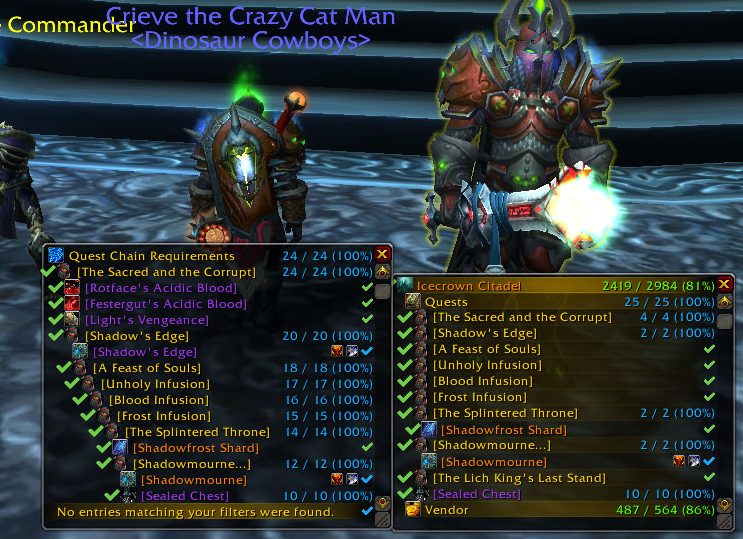
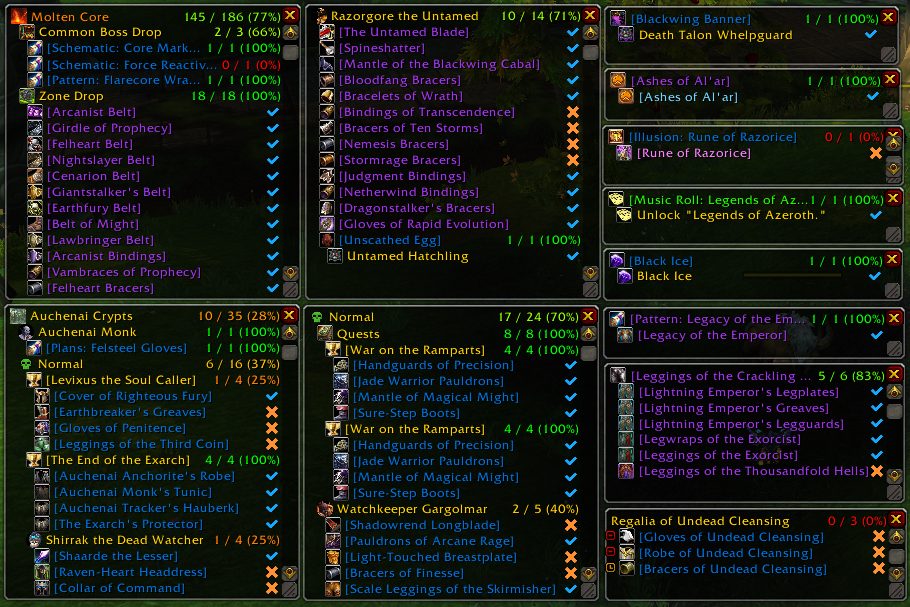
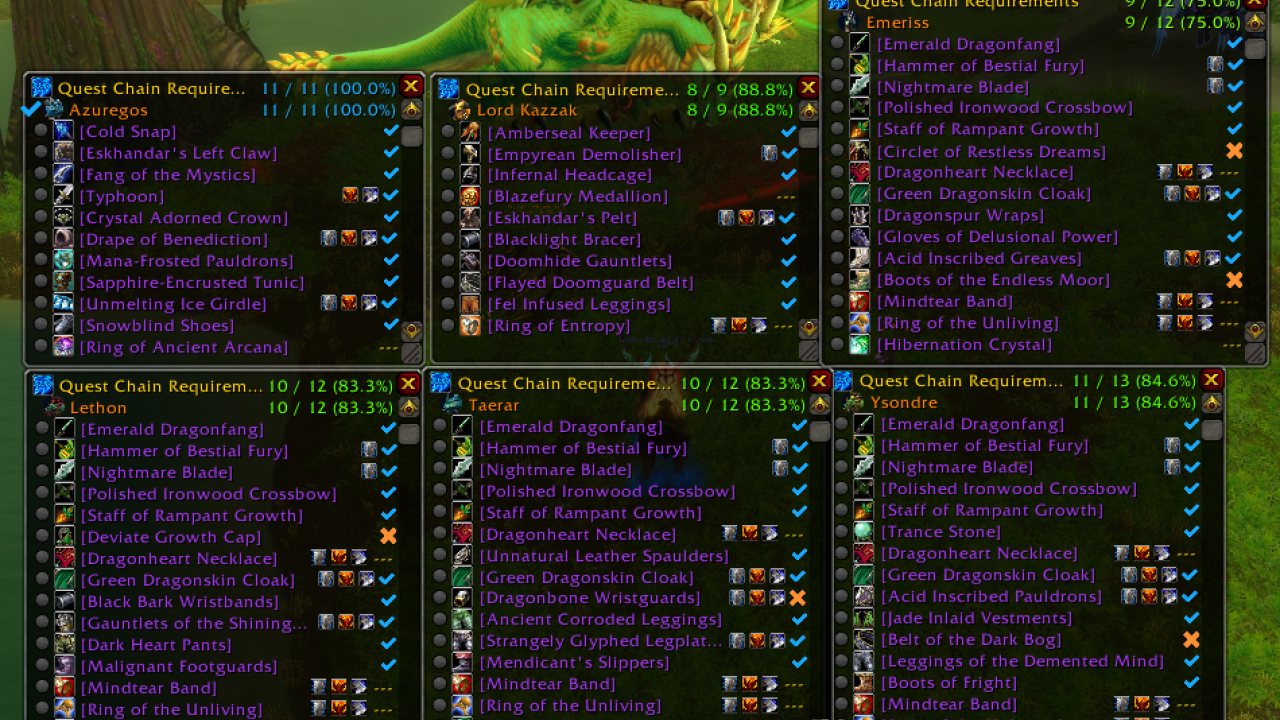
Do you find yourself completing old content just so that you can get literally everything for your Collections? Say no more! ALL THE THINGS will help you with your endeavor by giving you the ability to track your completion for everything.
Features
- Supports tracking of Achievements, Quests, Appearances, Mounts, Pets, Toys, Titles and much more.
- Primary Collections Window is moveable and resizeable.
- Auto Minilist
- Datatext Support
- Multiple Database modules to keep the addon from having to access Blizzard API.
- Filters to allow you to customize the addon to your preferences.
- Extra tooltip information (Models, Icons, Descriptions, etc).
- Fanfare music when you learn anything new.
Release Schedule
There are two release types, alpha build and official release.
- Alpha Build
- Released at 7:00 UTC every day.
- Official Release
- Scheduled every Sunday.
- Expected to be updated on the first day of any major WoW update, with frequent releases in the following days.
The git version is not a release, but it is still supported.
Why do I need this addon?
- Ability to see what items you are missing from your collection in a more presentable means than Blizzard's UI.
- The UI has information on quests, vendors, rares, dungeons and raids, world events, and more.
Problem? Suggestion?
If you just updated and are getting tons of errors, completely close your game and then reopen it. Updating addons while the game is running can cause problems!
- Discord
- Issues
- FAQ
- WAGO.io
Contributors
Thank you to the contributors for the work they do and the users who have submitted suggestions and bugs in Discord or on the forums! View and follow our contributors here!
Special Thanks
- AmiYuy -- Has helped many times with different aspects of the addon.
- Sweetlie -- Helped with models for the addon.
- Gello -- Helped us to get NPC localization.
- Breanni -- Allowing us to use notes from WarcraftPets website.
- DeadSerious -- Winner of our Logo Contest, Primary Artist for all Branding for ATT & Crieve's Twitch channel.
- BigBlaris - Verifying drops, testing.
- Kawna -- Does artwork to help out with the project.
- Nightswifty -- Added ATT information to a wowhead guide.
Other Recommended Addons
- Can I Mog It? -- Great addon that adds tooltip info for appearances and overlays for vendors, bags, etc.
- Rematch -- The best pet journal replacement there is. Many many features.
- LastSeen -- Addon that helps track the last time you saw an item. (this is helpful for collectors that have collector friends… Or a Discord. :D)
Support Us
You can donate to our Patreon here!
ABOUT THIS LISTING
This page describes ALL THE THINGS by Crieve. The description and screenshots are the author's own, imported from their listing on CurseForge on 14 August 2026: https://www.curseforge.com/wow/addons/all-the-things
Mythiq hosts no files for it. The download button goes straight to the release file on edge.forgecdn.net, so you are downloading from the author's own host, not from a copy of ours.
The download count, rating and comments on this page start at zero and count Mythiq only. The source's own figures are not copied here — they measure a different site, and a number that cannot be checked against our own ledger is not worth printing.
Media
Quest Chain Requirements
Multiple Pop Out Windows
Requirements
Game versions
4.4.2
3.4.5
1.15.8
3.80.1
5.5.4
12.0.7
12.1.0
2.5.6
GAME FLAVOUR
This is a retail (modern World of Warcraft) build. It will not work in the Classic clients, which run a different interface API.
INTERFACE VERSION
Built against game version 4.4.2, 3.4.5, 1.15.8, 3.80.1, 5.5.4, 12.0.7. After a patch, an addon that has not been updated is flagged out of date; most keep working, and the "Load out of date AddOns" checkbox on the character screen lets you try.
DEPENDENCIES
Some addons need a separate library addon (Ace3, LibStub and friends) that is not bundled. If the addon does not appear in the list in game, a missing dependency is the usual reason.
Installation
1. Quit World of Warcraft completely. The game reads the AddOns folder at launch and will overwrite settings for an addon added while it is running.
2. Download the archive with the button on this page and unzip it.
3. Move the folder — the one with the .toc file in it, not the zip's wrapper folder — into:
World of Warcraft\_retail_\Interface\AddOns
4. Start the game. On the character selection screen, click AddOns and check that it is listed and enabled.
IF IT DOES NOT APPEAR
Nine times out of ten the folder is nested one level too deep. Interface/AddOns/Thing/Thing/Thing.toc will not load; Interface/AddOns/Thing/Thing.toc will.
UPDATING
Delete the old folder before unzipping the new one. Unzipping over the top leaves files behind that the new version no longer expects.
This release downloads from edge.forgecdn.net, not from us, so
there is no checksum to compare against. Scan the archive before you unpack it.
Version history
v5.3.1Latest
14 Aug 2026 · 16 MB via edge.forgecdn.net · 17 downloads Download
Off-site on edge.forgecdn.net —
no checksum, because we never held this file.
Link checked by our review team on 14 Aug 2026.
Tell us if something is wrong — a file that will not work, content taken from
someone else, or anything that looks unsafe. Reports go to our review team, not
to the author.
We use cookies to ensure that we give you the best experience on our website and improve your experience. By continuing to use this site you consent to such use of cookies.