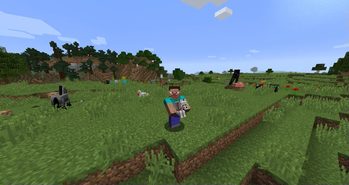
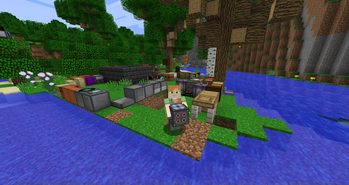
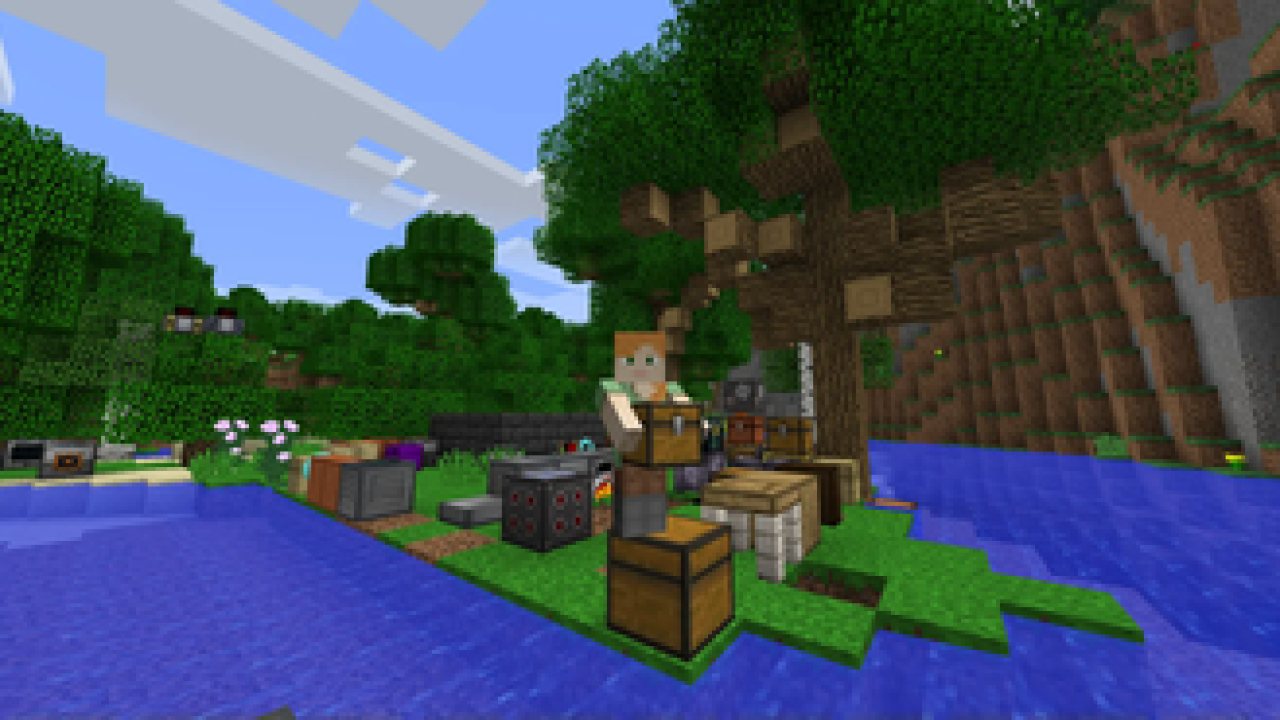
Carry On allows you to pick up Tile Entities and Mobs and carry them around!
Ever wonder why you can carry a stack of 64 empty chests in your pocket, but you can’t move a filled one with your bare hands? Well, wonder no more!
Carry On is a simple mod that improves game interaction by allowing players to pick up, carry, and place single block Tile Entities (such as Chests, Furnaces, Droppers, Spawners, and your favorite machines from other Tech Mods) using only their empty hands. No items (or pickaxes) required. States, meta data, inventory and NBT data are retained. It also allows you to carry around smaller mobs!
How it Works:
- Shift (can be rebound) + Right-Click (with Empty Hands) on any Tile Entity or mob to lift and carry
- Right-Click to place
Other features:
- Works with single block Tile Entities from any mod (yes, tech mods too)
- Works with all entities (no hostile mobs in survival mode, configurable)
- Entities can be stacked on each other (only smaller entities on top of larger ones)
- Respects the ‘lock’ functionality so Tile Entities cannot be stolen
- Powerful config allows you to blacklist entire mods or specific blocks, and additional customization
- Players can only carry one Tile Entity or Mob at a time, and are prevented from other actions when carrying
- Carrying a Tile Entity or Mob slows the player. Items with fuller inventories and larger mobs will cause additional slowness
- Advanced scripting for modpack creators. Wiki here.
- If you can't place down a picked up block, you can remove it from your inventory with /carryon clear
- Players can also be carried
Config Options:
- Carry On provides a powerful config file, wiki here
- Specific blocks or entire mods can be blacklisted
- An option to carry standard blocks (e.g., Dirt) can be enabled (Default = Off)
ABOUT THIS LISTING
This page describes Carry On by Tschipp. The description and screenshots are the author's own, imported from their listing on Modrinth on 3 October 2026: https://modrinth.com/mod/carry-on
Mythiq.net hosts no files for it. The download button goes straight to the release file on cdn.modrinth.com, so you are downloading from the author's own host, not from a copy of ours.
The download count, rating and comments on this page start at zero and count Mythiq.net only. The source's own figures are not copied here — they measure a different site, and a number that cannot be checked against our own ledger is not worth printing.
Media
Carrying a Wolf
Carrying a block from Actually Additions
Requirements
Game version
26.2
MOD LOADER
This release is built for Neoforge. A mod built for one loader will not load under another — Fabric mods do not run on Forge, and vice versa.
GAME VERSION
Built for Minecraft 26.2. Minecraft mods are tied to an exact version: a 1.21.4 build will refuse to load on 1.21.5.
DEPENDENCIES
Check the author's listing for required libraries before you start the game — a missing dependency shows up as a crash on launch, not as a warning.
Installation
1. Install Neoforge for the Minecraft version you play, if you have not already.
2. Download the .jar with the button on this page. Do not unzip it — a mod jar is installed as it is.
4. Launch the game with the Neoforge profile selected.
ON A SERVER
Anything that changes world generation or gameplay has to be installed on the server as well as on every client. Client-side visual and interface mods do not.
UPDATING
Replace the old .jar rather than adding the new one beside it. Two versions of the same mod in the folder is a crash on launch.
This release downloads from cdn.modrinth.com, not from us, so
there is no checksum to compare against. Scan the archive before you unpack it.
- Fixed carried entities' head and body jittering (#996, thanks to #997)
- Fixed the Mod Menu config button erroring when Cloth Config is not installed (#976, #985, #993)
- Inventory screens are now closed after they initialize on Forge and NeoForge, fixing crashes with some screens (#983)
Off-site on cdn.modrinth.com —
no checksum, because we never held this file.
Link checked by our review team on 3 Oct 2026.
Tell us if something is wrong — a file that will not work, content taken from
someone else, or anything that looks unsafe. Reports go to our review team, not
to the author.
We use cookies to ensure that we give you the best experience on our website and improve your experience. By continuing to use this site you consent to such use of cookies.