Adds the best controller support to Minecraft Java edition!
A mod that adds the best controller support for Minecraft: Java Edition.
SPLITSCREEN!
(Advertisement)
Controlify Splitscreen is a separate mod in development that adds splitscreen support to the game! JARs are currently only available on Patreon!
Wiki
Read up on the Controlify Wiki for more information on how to use Controlify, how to configure it, and how to develop for it.
What is Controlify?
Controlify is the best controller support mod for Minecraft: Java Edition. It exceeds the first-party Bedrock Edition controller support in every way possible. It is feature-complete, with support for vibration, gyroscope, HD haptics, and more.
Controlify supports all controllers, thanks to its usage of the SDL3 library, which is the most advanced cross-platform input library available.
Controlify is designed to be both user-friendly and feature-rich. It has sensible defaults, with default sensitivity matched to Bedrock Edition for easy transition, and a simple yet informative settings screen that allows you to tweak your experience to your liking.
Feature overview
- Vibration support; Controlify vibrates your controller upon events such as taking damage, breaking blocks, lightning strikes.
- Gyroscope support; Controlify can use the gyroscope in your controller for precise aiming.
- Vendor-specific input support; Controlify supports reading paddles, mute buttons (and their LEDs), touchpads, and more, on some controllers including Xbox, DualSense and Steam Deck.
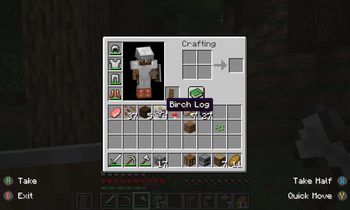
- GUI operation: Controlify allows you to navigate all Minecraft GUIs with your controller, without needing a mouse or keyboard. This includes the inventory, out-of-game menus, and modded GUIs. It features cursor snapping in inventory screens, allowing you to use your controller without needing to be precise with your cursor movements.
- DualSense/DualShock support; Controlify does not require any additional software for PlayStation controllers, even on Windows.
- Controller identification; Controlify has bespoke button glyphs for many controller models, including Xbox, Playstation, Nintendo Switch, Steam Deck, and more.
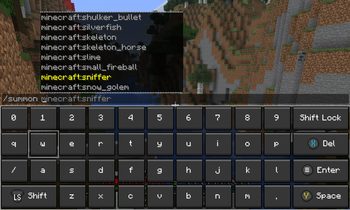
- On-screen keyboard; Controlify includes a fully functional on-screen keyboard that allows you to type with your controller - truly no keyboard needed!
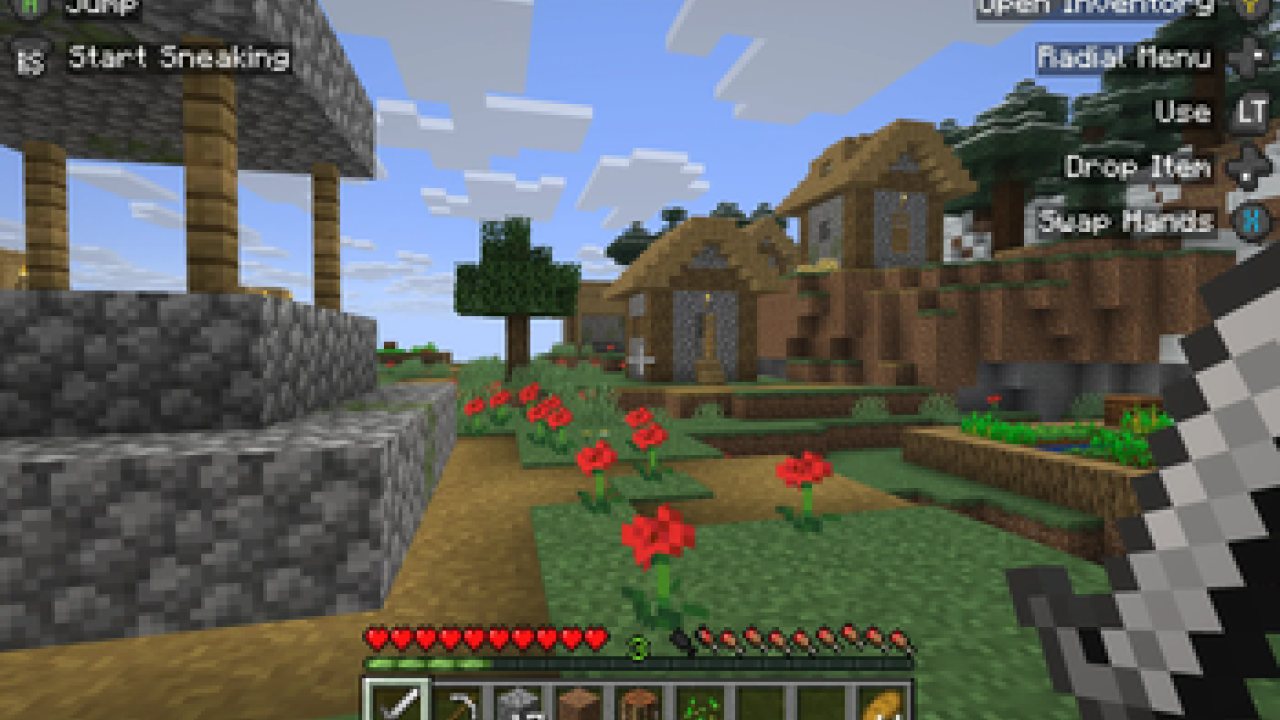
- Radial menu; Controlify features a configurable menu that allows you to bind less-used actions to a radial menu, saving up buttons.
- DualSense HD haptics support; Controlify allows for advanced vibration effects on DualSense controllers.
- DualSense adaptive triggers support; Controlify allows for advanced trigger effects on DualSense controllers.
- Data-driven design; Controlify allows resource packs to change default bindings, theme button glyphs, on-screen button guides, on-screen keyboard layouts, add more controller models, and more.
- Steam Deck support
- Mod compatibility; Controlify has led the efforts to make controller support work seamlessly with mods like Sodium, Iris, Simple Voice Chat, Do A Barrel Roll, and more.
- Cross-platform and multi-version; Controlify works on Fabric and NeoForge, and actively supports and updates for Minecraft versions 1.21.1 and above.
- Quick to update; Controlify is updated even for Minecraft snapshots, although snapshot builds are only available to patreon members.
- Joystick support; Controlify supports flight sticks, racing wheels, and other non-standard joysticks. Users of such devices have the option between mapping the joystick to a standard gamepad, or creating their own custom bindings and defaults and glyphs for the joystick, allowing for a fully-featured experience.
Who uses Controlify?
The following is actual feedback I have received from users of Controlify, and I'm very proud to have been able to help them enjoy Minecraft in a way they couldn't before:
- Couch gamers who want to sit back and relax playing their favourite edition of Minecraft.
- First-time modded players who have previously played Minecraft on a console and don't want to learn how to use a keyboard and mouse.
- People with accessibility requirements who cannot use a keyboard and mouse and/or requires an adaptive controller.
- Parents who want to expose their kids to modded Minecraft in an accessible manner.
- People who just prefer using a controller over a keyboard and mouse.
- People who want to play local multiplayer with their friends and family using the companion Splitscreen Mod
- Hopefully you!
Features
Controller vibration
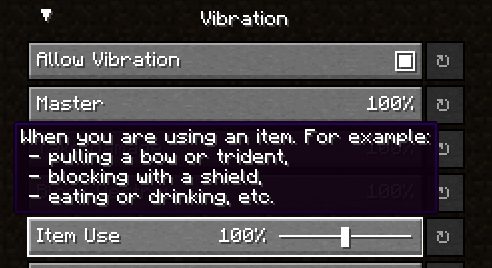
Controlify supports controller vibration, which has not been seen before for PC versions of Minecraft,
including Bedrock Windows 10 Edition. Configure the intensity of each vibration source, with
complex vibration patterns for lots of aspects of the game (e.g. when you take damage).
Radial menu
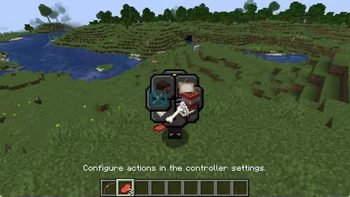
To save up some buttons on your controller, dedicate some less-used actions to the radial menu.
It is fully customizable through the settings and intuitive to use. Any modded keybind is
compatible with this menu.
Gyro support
Controlify has built-in support for controller gyroscopes, allowing you to make fine movements in-game
with your controller. This can be combined with flick stick to be able to use a controller without
the compromise.
Container cursor
Just like in bedrock edition, you can move a cursor across your inventory, and interact
with it in a controller-friendly way. With dedicated buttons for quick move, dropping etc. Controlify also comes with cursor snapping, so you don't need to be so precise with cursor movements.
Controller identification
Controlify has the ability to identify the make and model of your controller automatically,
and displays relevant button textures for your controller. This is also extendable by resource packs, changing up the button textures in a different style and adding some of your own, more niche controller identifiers.
Joystick support
You can connect any joystick to the mod and map it with your own names and textures, with an unlimited amount of inputs per controller.
Button guide
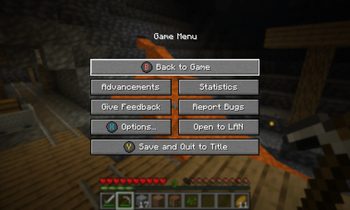
There is a simple overlay in-game that displays the buttons you can press
based on your player's state and look direction. This is useful for new players, who
have not yet memorised the controls.
Also, some GUIs display controller buttons on elements that have a controller shortcut, to easily navigate with a controller like you should be able to.
Containerised Controllers
This mod is built around the fact that each controller is completely separate, with it's own configuration, bindings etc.
This means it will be trivial to add support for split-screen play in the future.
Built for mod compatibility
GUI operation has been abstracted into a simple API, which allows other mods to easily add support for their own GUIs,
without convoluted support throughout the whole mod's codebase, making it difficult for third parties to integrate.
Video recorded using do-a-barrel-roll with a Thrustmaster HOTAS flightstick
Automatic controller deadzone calibration
The deadzone values of your controller are automatically calibrated,
meaning you don't have to worry about it.
Backports?
This mod is only and will only be available for 1.19.4 and above, this is because in 1.19.4, Mojang
introduced arrow key navigation which was easily ported to controller, below 1.19.4, this is not possible.
ABOUT THIS LISTING
This page describes Controlify (Controller support) by isxander. The description and screenshots are the author's own, imported from their listing on Modrinth on 24 October 2026: https://modrinth.com/mod/controlify
Mythiq.net hosts no files for it. The download button goes straight to the release file on cdn.modrinth.com, so you are downloading from the author's own host, not from a copy of ours.
The download count, rating and comments on this page start at zero and count Mythiq.net only. The source's own figures are not copied here — they measure a different site, and a number that cannot be checked against our own ledger is not worth printing.
Media
Button guides in the pause menu
Inventory management
Controller vibration
Radial menu
Chat keyboard
Requirements
Game version
26.2
MOD LOADER
This release is built for Fabric and Neoforge. A mod built for one loader will not load under another — Fabric mods do not run on Forge, and vice versa.
GAME VERSION
Built for Minecraft 26.2. Minecraft mods are tied to an exact version: a 1.21.4 build will refuse to load on 1.21.5.
DEPENDENCIES
Check the author's listing for required libraries before you start the game — a missing dependency shows up as a crash on launch, not as a warning.
Installation
1. Install Fabric for the Minecraft version you play, if you have not already.
2. Download the .jar with the button on this page. Do not unzip it — a mod jar is installed as it is.
4. Launch the game with the Fabric profile selected.
ON A SERVER
Anything that changes world generation or gameplay has to be installed on the server as well as on every client. Client-side visual and interface mods do not.
UPDATING
Replace the old .jar rather than adding the new one beside it. Two versions of the same mod in the folder is a crash on launch.
This release downloads from cdn.modrinth.com, not from us, so
there is no checksum to compare against. Scan the archive before you unpack it.
Tell us if something is wrong — a file that will not work, content taken from
someone else, or anything that looks unsafe. Reports go to our review team, not
to the author.
We use cookies to ensure that we give you the best experience on our website and improve your experience. By continuing to use this site you consent to such use of cookies.