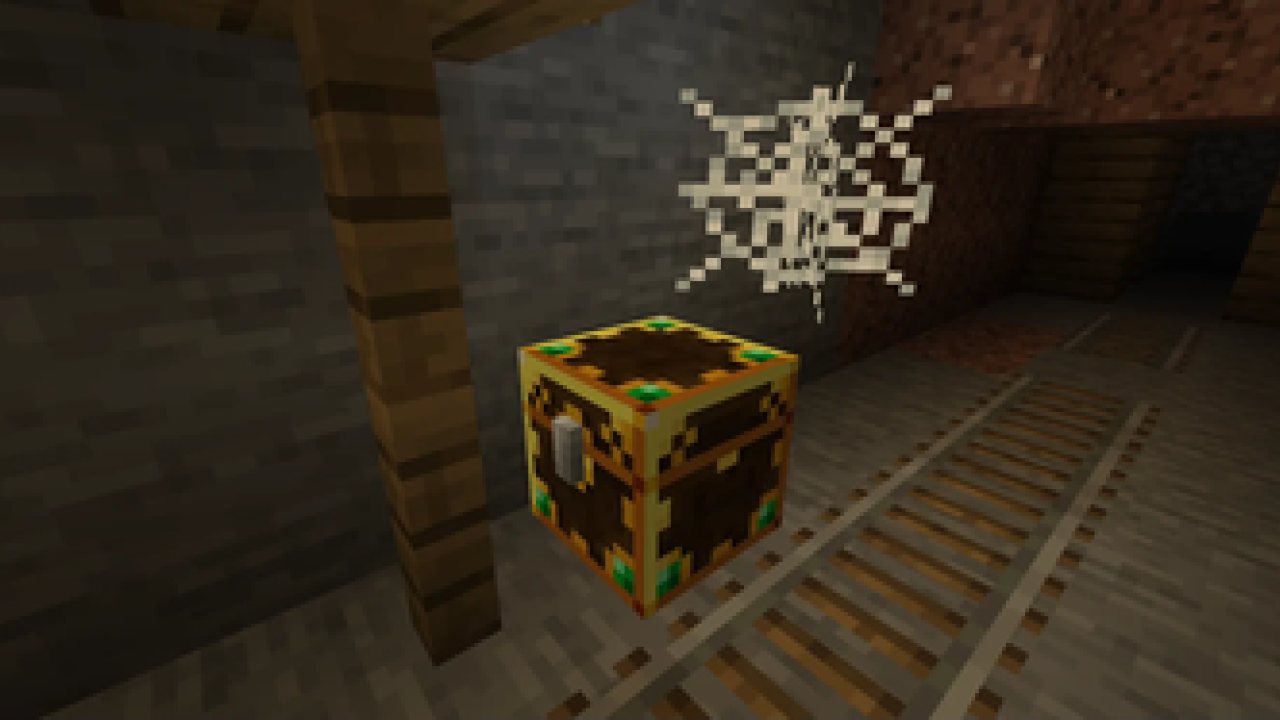
A mod that makes it so nobody misses out on Loot! All loot chests are instanced per player and visually unique.
Lootr is required on both servers and clients.
What does it do? Each container that has a loot table (supporting chests, trapped chests, barrels, shulkers and minecarts) creates a unique inventory for each player who opens it! These containers also have a distinct appearance, and their colour changes from gold to blue if a player has already opened the container.
How does this help? There's no longer a race to be the first to discover structures, and you will never open a loot chest and find someone's left-over trash. Most importantly, it encourages players to explore existing structures, rather than generating new chunks, thus reducing world size!
What versions is it available for? For Fabric, it's available for all recent releases since 1.18 and is actively developed for these. For Forge, it's available for 1.12.2, 1.16.5, 1.18, 1.19 and 1.20!
Frequently Asked Questions
Q. How do I get support?
A. You can check out my Discord (linked below) or alternatively create an issue on our GitHub, which can be found by clicking on "Issues" above.
Q. What versions does Lootr support?
A. Currently, Lootr for Forge supports the following versions: 1.18, 1.19/1.19.1/1.19.2, 1.19.3. Please check the "All Files" page if you cannot find a download for the version of Minecraft you are playing.
Q. Is there a server-only version? Can I connect without installing it on the client?
A. No, Lootr is currently required on both the client and the server. If you have experience with plug-in development and are willing to help design a server-only version, please reach out on Discord (link found below).
Q. How do I change what loot is generated with Lootr? How do I include loot from other mods in Lootr containers?
A. This is beyond the scope of the Lootr mod, which simply changes the containers. In all other respects, loot is generated in exactly the same way as Vanilla chests generate it. Modifying loot tables is generally done via data packs, although various mods exist for various versions of Minecraft which do this. I recommend asking in your favourite modded Minecraft Discord or forum!
Q. What about dungeon mods? How do I prevent players from going in and looting everything after it has already been cleared?
A. There are a number of options that help with this:
- Specific loot tables can be blacklisted, which means that those chests will never be converted. You can also specify simply all loot tables of a certain mod. Likewise, specific dimensions can be blacklisted.
- Alternatively, you can specify for certain containers (or all containers), determined by their loot table, to "decay". This means that a configurable time after they are first opened, the next time someone attempts to open the container, the block will be destroyed. There also exists the opposite, a system whereby chests will "refresh" (or re-generate their contents) after the configured period of time has elapsed.
Q. How do I prevent players from simply breaking containers?
A. By default, players who attempt to break a container will be given a warning message and a reminder that all containers are available per-player. Players can still break these containers by doing so while sneaking, unless this option is disabled in the configuration.
Q. I don't like the visual appearance of the containers. How can I change this?
A. There is a client-side option that forces containers to use the default Vanilla skin. However, this does mean there is no visual change to indicate if a container has been opened before.
Q. Can I add Lootr to a pre-existing world and have containers be converted?
A. Yes! With one disclaimer: loot containers which were already opened will not be converted. The generation of loot in Minecraft, by default, removes the associated loot table, and there is no way for Lootr to find this information.
Q. The container from isn't converting!
A. If the container contains items (or always contains the same items), it is possible that the mod is manually generating loot for it. In this case, there is no way for Lootr to determine a loot table and convert chests. I recommend asking the author of the mod to consider switching to a loot table instead to maintain compatibility! If the container is empty, it is possible that it is merely included for the aesthetic. Otherwise, if you believe there's an issue with conversion, please open an issue on our GitHub tracker or post on Discord. Additional methods for converting containers exist for 1.12.2.
Please note that the "axe chest" in the Vanilla Woodland Mansion does not have an associated loot table and is never converted.
Q. I no longer want Lootr. What happens if I remove it?
A. Unfortunately, removing the mod will also remove all Lootr containers. There is currently no way to undo the conversion process. This means that every Lootr converted container will be removed from your world.
Q. I want to create a "starter" chest with some items in it for everyone in my world, how do I go about this? How do I create my own Lootr container?
A. Lootr also contains "custom" inventories which use the same visual appearance as a chest. Simply create a Vanilla chest, fill it with the items you want available and then, while standing on it, execute the /lootr custom command (this requires operator privileges).
Q. What else does the /lootr command do?
A. For a full explanation of the command, please check out the Lootr Command page on our GitHub Wiki.
Q. How do I use Lootr in a mod pack, or how do I natively use Lootr in my Mod?
A. For a full explanation of Lootr's features for mod packs, as well as the Lootr API, please check out the Lootr for Developers page on our GitHub Wiki.
Q. What do all the configuration options mean?
A. For a full explanation of Lootr's configuration, please check out the Lootr Configuration page on our GitHub Wiki.
Q. Is there a video I can watch?
A. There sure is! Vallen from Mischief of Mice has graciously created this bit-by-bit video that covers the rough basics of Lootr, although this is from an earlier version of the mod and does not cover all recent additions:
Patreon & Discord
You can support me on Patreon!
All support for this mod is available on my Discord. You can also keep up with what I'm doing and get notifications streams! For all other support, please click on "Issues" at the top of this page.
ABOUT THIS LISTING
This page describes Lootr by noobanidus. The description and screenshots are the author's own, imported from their listing on Modrinth on 24 October 2026: https://modrinth.com/mod/lootr
Mythiq.net hosts no files for it. The download button goes straight to the release file on cdn.modrinth.com, so you are downloading from the author's own host, not from a copy of ours.
The download count, rating and comments on this page start at zero and count Mythiq.net only. The source's own figures are not copied here — they measure a different site, and a number that cannot be checked against our own ledger is not worth printing.
Media
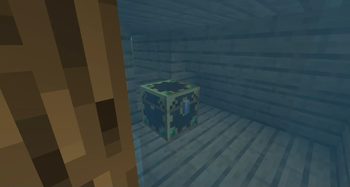
An underwater underwater Lootr chest!
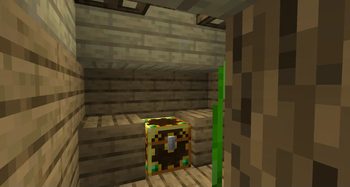
Underwater lootr chest!
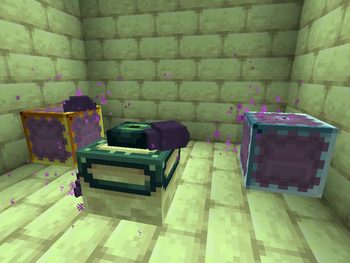
Loot Shulker
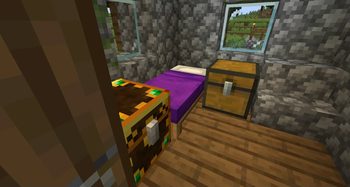
Lootr Chest with nearby Normal Chest
Requirements
Game version
26.2
MOD LOADER
This release is built for Fabric. A mod built for one loader will not load under another — Fabric mods do not run on Forge, and vice versa.
GAME VERSION
Built for Minecraft 26.2. Minecraft mods are tied to an exact version: a 1.21.4 build will refuse to load on 1.21.5.
DEPENDENCIES
Check the author's listing for required libraries before you start the game — a missing dependency shows up as a crash on launch, not as a warning.
Installation
1. Install Fabric for the Minecraft version you play, if you have not already.
2. Download the .jar with the button on this page. Do not unzip it — a mod jar is installed as it is.
4. Launch the game with the Fabric profile selected.
ON A SERVER
Anything that changes world generation or gameplay has to be installed on the server as well as on every client. Client-side visual and interface mods do not.
UPDATING
Replace the old .jar rather than adding the new one beside it. Two versions of the same mod in the folder is a crash on launch.
This release downloads from cdn.modrinth.com, not from us, so
there is no checksum to compare against. Scan the archive before you unpack it.
Tell us if something is wrong — a file that will not work, content taken from
someone else, or anything that looks unsafe. Reports go to our review team, not
to the author.
We use cookies to ensure that we give you the best experience on our website and improve your experience. By continuing to use this site you consent to such use of cookies.