Maps, quests, rare trackers and holiday tour guides
TBC players get: Retail-look-and-feel for your world map and (soon) quest log
Features for Classic / TBC:
- Retail Feature Pack for Classic includes:
- Retail look and feel for the world map and quest interfaces
- World map minimize / maximize
- World map pan and zoom (scroll wheel to zoom in)
- World map fades when you are moving and when minimized - this can be disabled by typing /console mapFade "0"
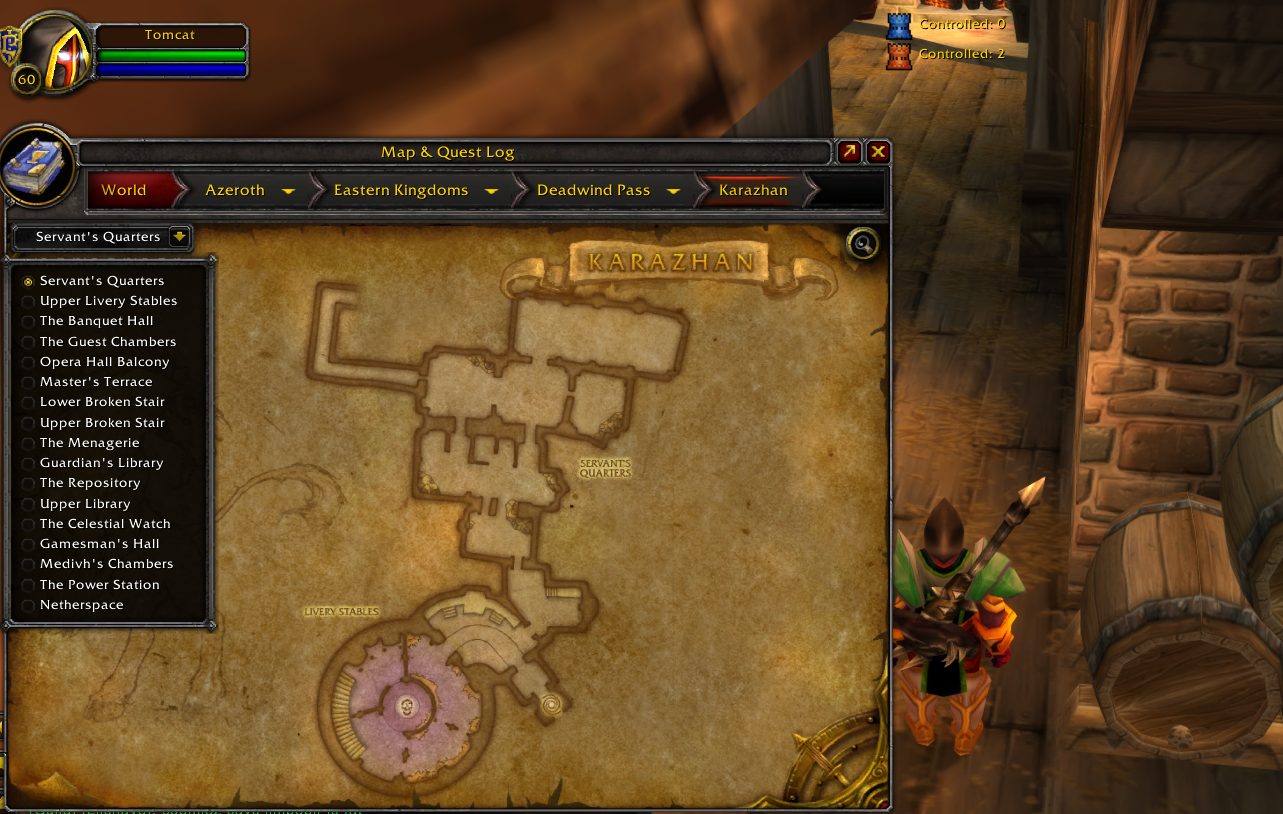
- All dungeon and raid maps
- Map icons for dungeon locations
- Click the dungeon instance location on the world map to view the dungeon map from anywhere
Additional features being worked on:
- Quest log docked to the map coming soon
- Quest markers and outlines on the map coming soon
- Quest/Dungeon objectives tracker coming soon
- Quest objectives on NPC and object tooltips coming soon
Note for ElvUI users: You'll probably want to disable the 'smaller map' feature in ElvUI or the map could get pretty small.
Features for Retail:
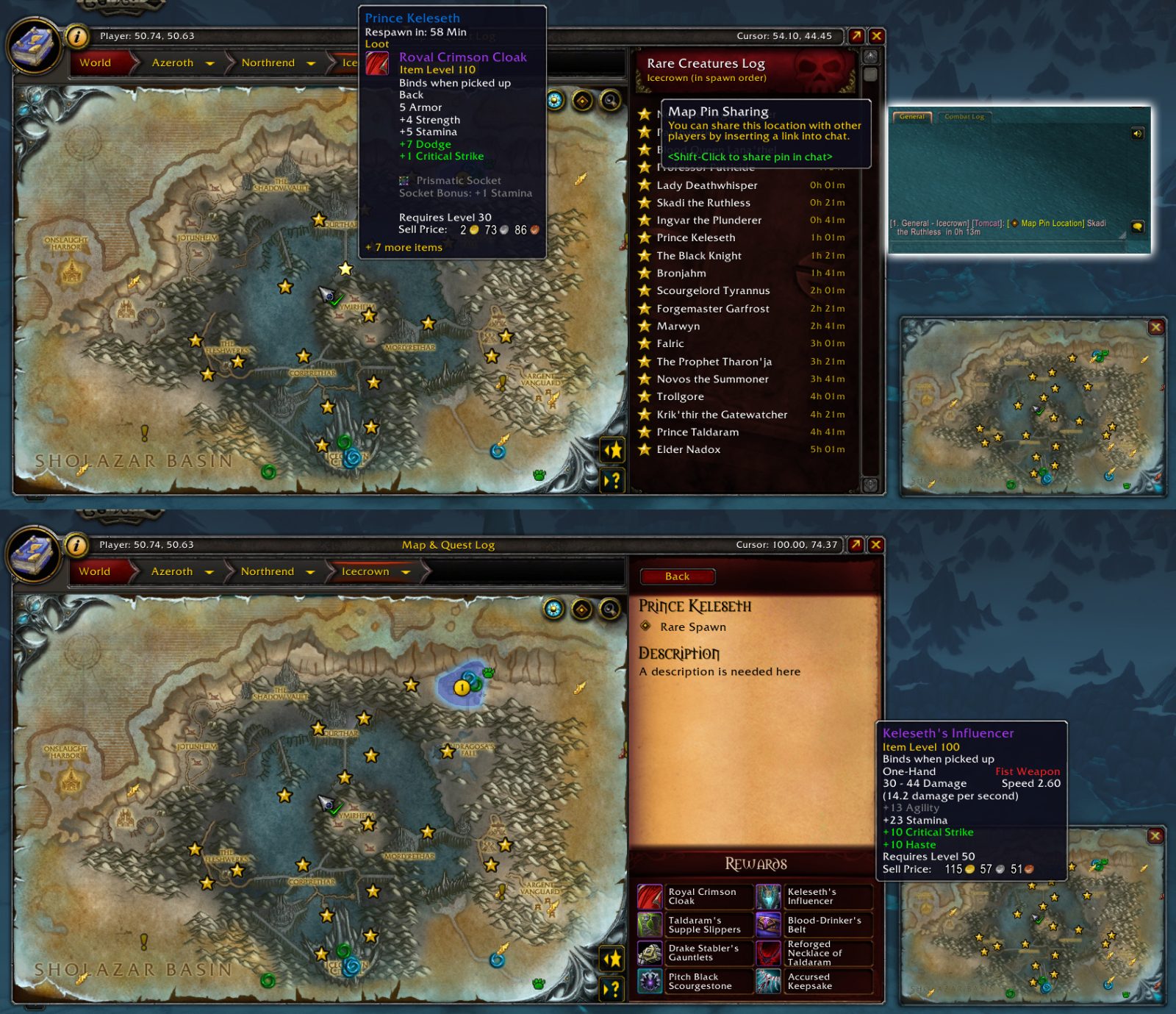
- Map markers for all rare spawns from BfA through Shadowlands, including Korthia and The Maw!
- Various holiday toolkits
Support links, including live support, are available at https://www.TomCatsTours.com
March 2, 2021:
The Shadowlands Rares features are now available within TomCat's Tours! To enable them, click the black cat icon or type /tomcats in your in-game chat window. You can then 'Enable the Beta Features' from there.
Frequently asked questions:
Q: What does TomCat's Tours provide (see list at the top of the page for the most up-to-date)?
A: Primarily, TomCat's Tours marks the locations of rare creatures and what notable loot they drop (mounts, pets, toys). There are also additional features that show up during some of the bigger WoW holidays, such as currently, Love is in the Air, and Lunar Festival. For the rares, you can expect to find everything you need for any of special patch content released during BfA starting with Arathi Highlands on forward. For Shadowlands, you will have to enable the beta features. (Shadowlands only) See the control panel by clicking the black cat icon on your minimap or by typing /tomcats in the in-game chat window.
Q: Why are there strobing minimap buttons on my map (and how do I stop them from strobing)?
A: The strobe effect will only occur occasionally when there is special information or an event taking place, such as when the Love is in the Air and Lunar Festival holidays were taking place and features were enabled especially for these holidays. Clicking the icon once when this happens will stop the strobing for that event.
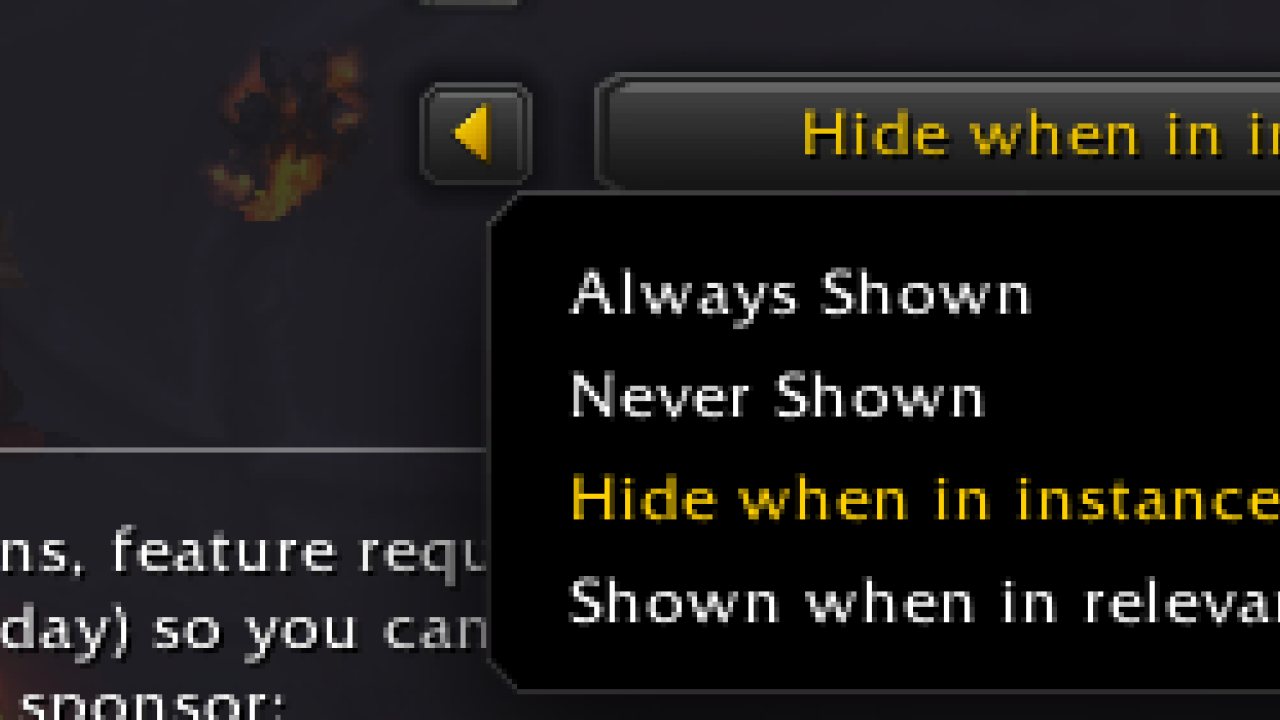
Q: I don't care about ______ holiday. How do I hide its minimap icon?
A: Whenever a holiday becomes active, its minimap button will become available. If you want to hide the button until next year, you can do this in the TomCat's Tours control panel. Type /tomcats in your in-game chat window to access these settings or click the black cat icon on your minimap (Shadowlands only).
Q: How do I access the control panel?
A: type /tomcats in your in-game chat window, or click the black cat icon on your minimap (Shadowlands only). There are no configuration options for Classic/TBC at this time.
Q: How do I use the chat commands (slash commands) in Shadowlands?
A: Currently there is only one chat command as it is a shortcut to the addon configuration panel. Type /tomcats in the in-game chat window to get there, or you can go to the game menu, then to interface, click the addons tab, and TomCat's Tours is listed on the left side.
Q: Why did you do _______ the way you did it instead of ________ ?!?!?!
A: There is a lot of thought that goes into my designs, but there has to be a balance when figuring out what can be provided in X amount of time. If you see room for improvement, there's a good chance that I also already see it. Most meaningful feedback arrives within a day or two of an addon update. I have to consider how several hundred thousand players may try to use the addons. I might guess correctly for the vast majority of players, but I won't understand every player unless I get feedback from those I didn't guess correctly for. Sometimes it's just a matter of having to take a few shortcuts (i.e. using a minimap button instead of a nicer control panel, or using slash commands) so that everyone can at least accomplish what they want to with the addon. That's first. Second is making it so everyone can accomplish what they want HOW they want to do it. Please remember this when wanting to give feedback or asking for help with the addons.
Q: If I still have questions, what do I do?
A: You can send me a direct message here on Curseforge, join my Discord server, or visit me when I'm streaming live on Twitch. The main purpose of the live stream is to be able to provide help to players in a more interactive way where I can show you what's on my screen, but I also play WoW live, discuss other topics, and even develop the addons live... so please do stop by! All links can be found at:
https://www.tomcatstours.com
The remainder of this page is the original addon description as it has evolved since 2018 and some parts might not be up to date yet. See the previous Q&A for the latest:
For help:
Support links, including live support, are available at https://www.TomCatsTours.com
test
ABOUT THIS LISTING
This page describes TomCat's Tours by TomCat. The description and screenshots are the author's own, imported from their listing on CurseForge on 14 August 2026: https://www.curseforge.com/wow/addons/tomcats
Mythiq hosts no files for it. The download button goes straight to the release file on edge.forgecdn.net, so you are downloading from the author's own host, not from a copy of ours.
The download count, rating and comments on this page start at zero and count Mythiq only. The source's own figures are not copied here — they measure a different site, and a number that cannot be checked against our own ledger is not worth printing.
Media
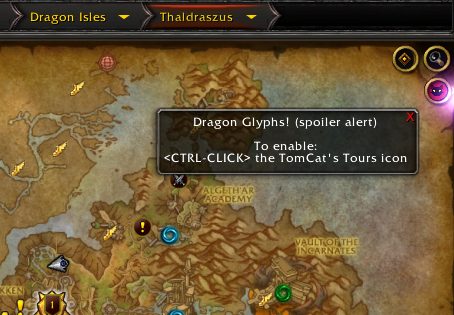
Dragon Glyphs Spoiler Alert
Retail maps in TBC
Icecrown with Timers
Requirements
Game versions
12.0.7
12.1.0
GAME FLAVOUR
This is a retail (modern World of Warcraft) build. It will not work in the Classic clients, which run a different interface API.
INTERFACE VERSION
Built against game version 12.0.7, 12.1.0. After a patch, an addon that has not been updated is flagged out of date; most keep working, and the "Load out of date AddOns" checkbox on the character screen lets you try.
DEPENDENCIES
Some addons need a separate library addon (Ace3, LibStub and friends) that is not bundled. If the addon does not appear in the list in game, a missing dependency is the usual reason.
Installation
1. Quit World of Warcraft completely. The game reads the AddOns folder at launch and will overwrite settings for an addon added while it is running.
2. Download the archive with the button on this page and unzip it.
3. Move the folder — the one with the .toc file in it, not the zip's wrapper folder — into:
World of Warcraft\_retail_\Interface\AddOns
4. Start the game. On the character selection screen, click AddOns and check that it is listed and enabled.
IF IT DOES NOT APPEAR
Nine times out of ten the folder is nested one level too deep. Interface/AddOns/Thing/Thing/Thing.toc will not load; Interface/AddOns/Thing/Thing.toc will.
UPDATING
Delete the old folder before unzipping the new one. Unzipping over the top leaves files behind that the new version no longer expects.
This release downloads from edge.forgecdn.net, not from us, so
there is no checksum to compare against. Scan the archive before you unpack it.
Version history
v2.05.76Latest
22 Jun 2026 · 1,023 KB via edge.forgecdn.net · 12 downloads Download
Off-site on edge.forgecdn.net —
no checksum, because we never held this file.
Link checked by our review team on 14 Aug 2026.
Tell us if something is wrong — a file that will not work, content taken from
someone else, or anything that looks unsafe. Reports go to our review team, not
to the author.
We use cookies to ensure that we give you the best experience on our website and improve your experience. By continuing to use this site you consent to such use of cookies.