UPDATE: Hi all. Been grieving the loss of both my father and only brother and slowly dealing with the loneliness and depression. Being disabled with a sporadically bleeding mass in my head due to freak badly healed little league injury from decades ago doesn't help, but I've been inspired lately…
Azurah
(PM Phinix with improved translations!)
REQUIRED LIBRARIES: LibAddonMenu LibMediaProvider
UPDATE: Hi all. Been grieving the loss of both my father and only brother and slowly dealing with the loneliness and depression. Being disabled with a sporadically bleeding mass in my head due to freak badly healed little league injury from decades ago doesn't help, but I've been inspired lately mainly due to Bethesda generously inviting me to publish some of my mods, and I have actually begun to see a light at the end of this tunnel. I wanted to get back into ESO as well and will be gradually making my way through updating all my addons to the latest release. Thanks for your support through this difficult time!
(11.29.2024)
Description:
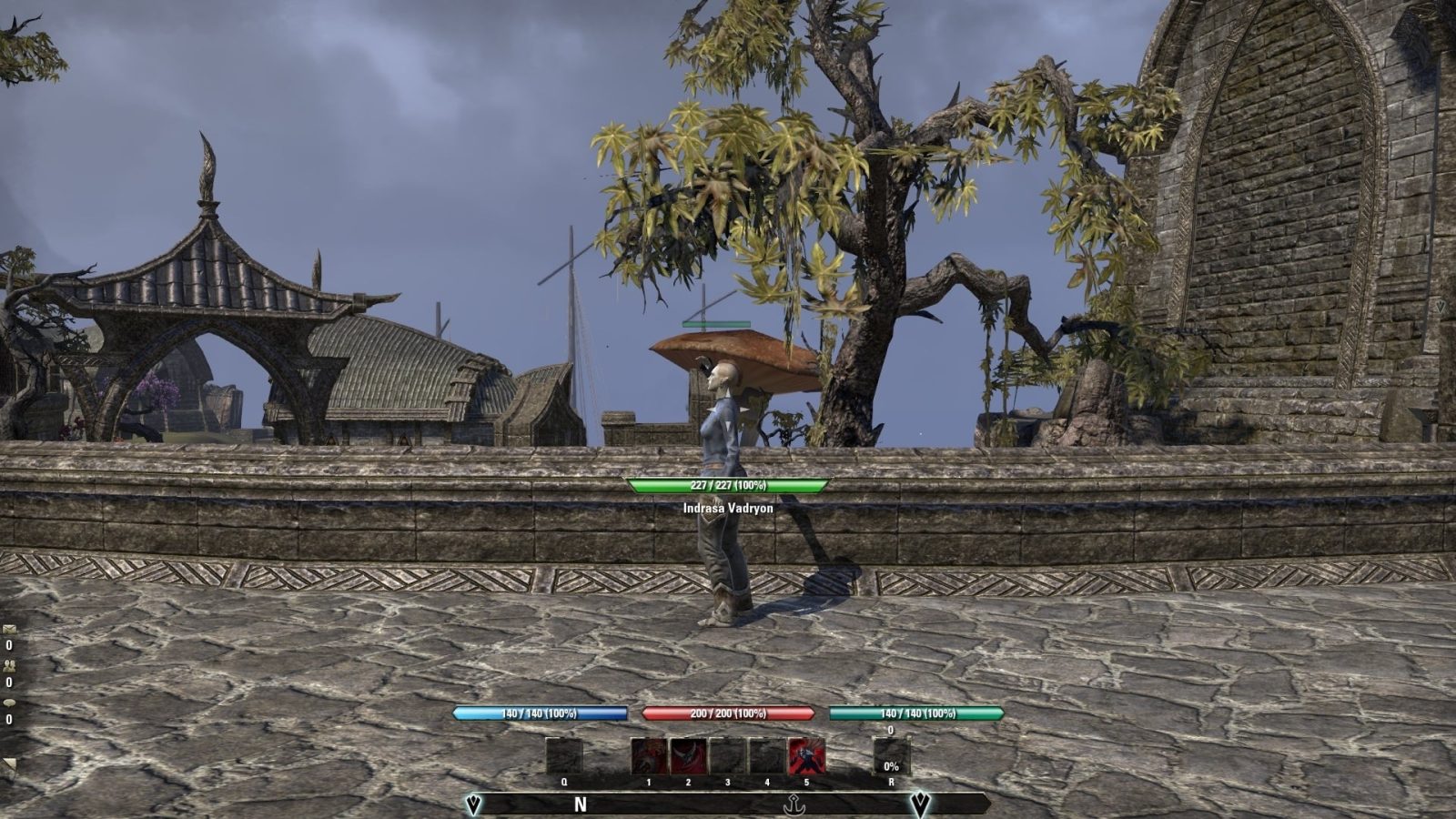
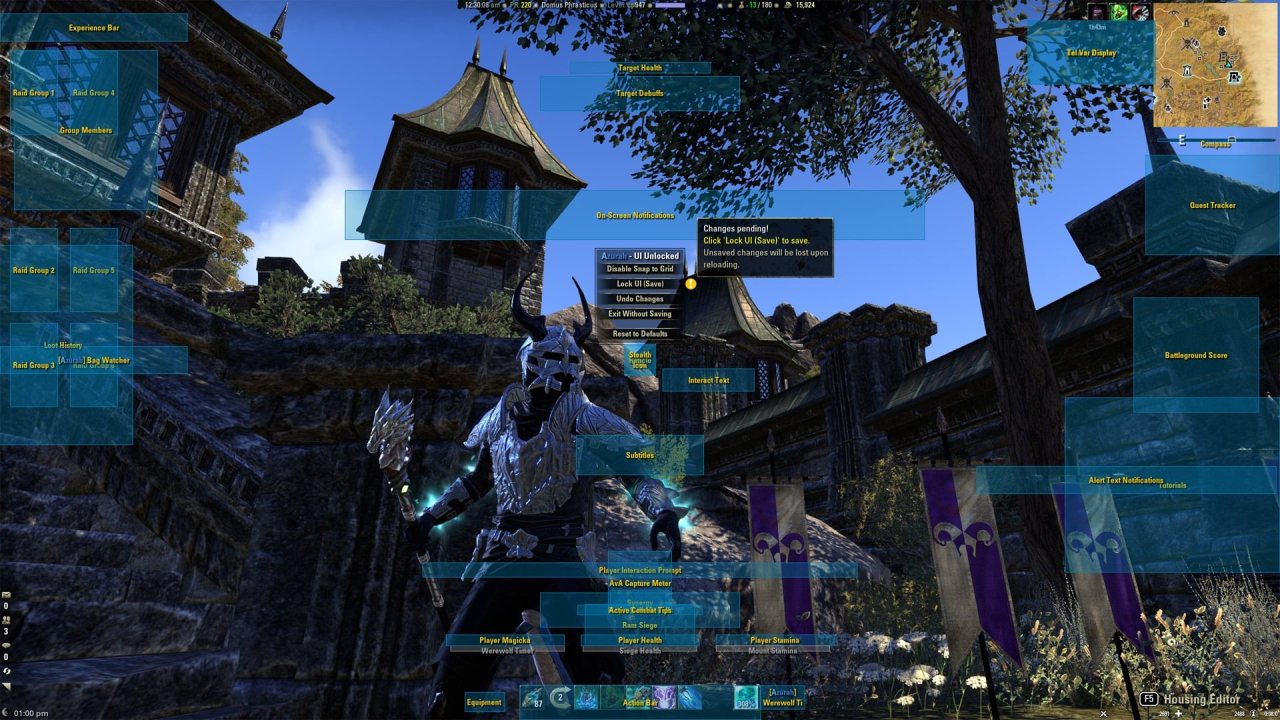
Azurah enhances the interface by providing additional information and customization options while maintaining most of the stock look and feel of the game's standard UI.
Current Features:
NEW: Added Action Bar options to block activation of Mage Light & Expert Hunter (and morphs).
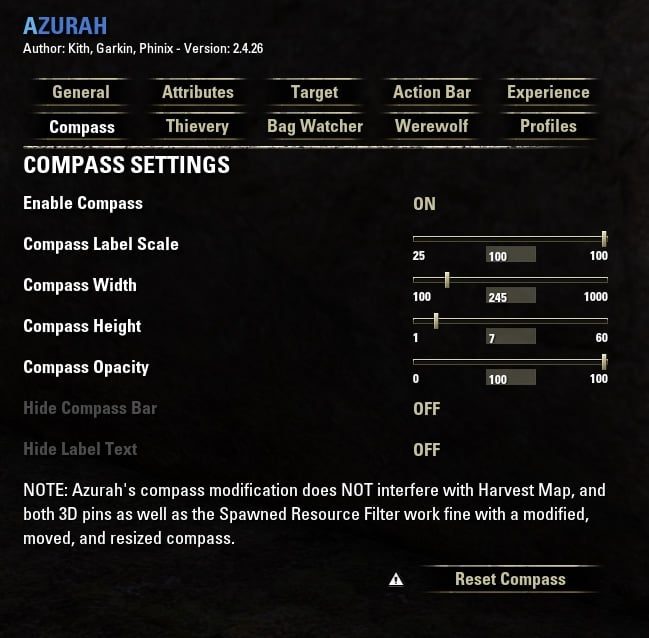
- NEW: Added a new option "Compass Label Position" to change vertical position of the label text relative to the compass.
- NEW: Fully customize the compass including moving and resizing, while being fully compatible with Harvest Map!
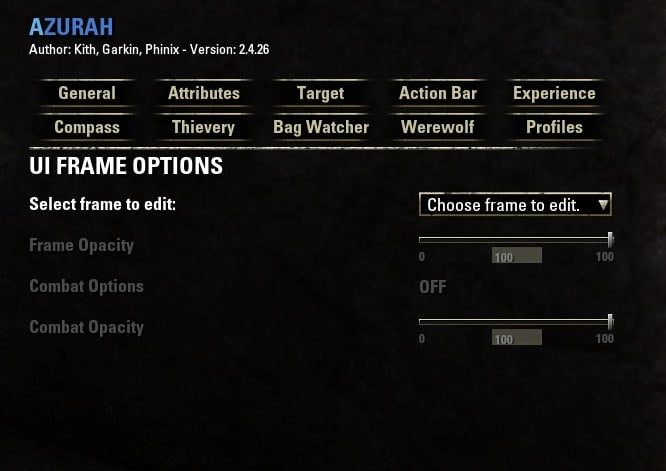
- NEW: Separately configure in-combat and out of combat opacity levels for all modified frames.
- NEW: 'Undo Changes' button and right-click ability to undo changes to single windows since unlock.
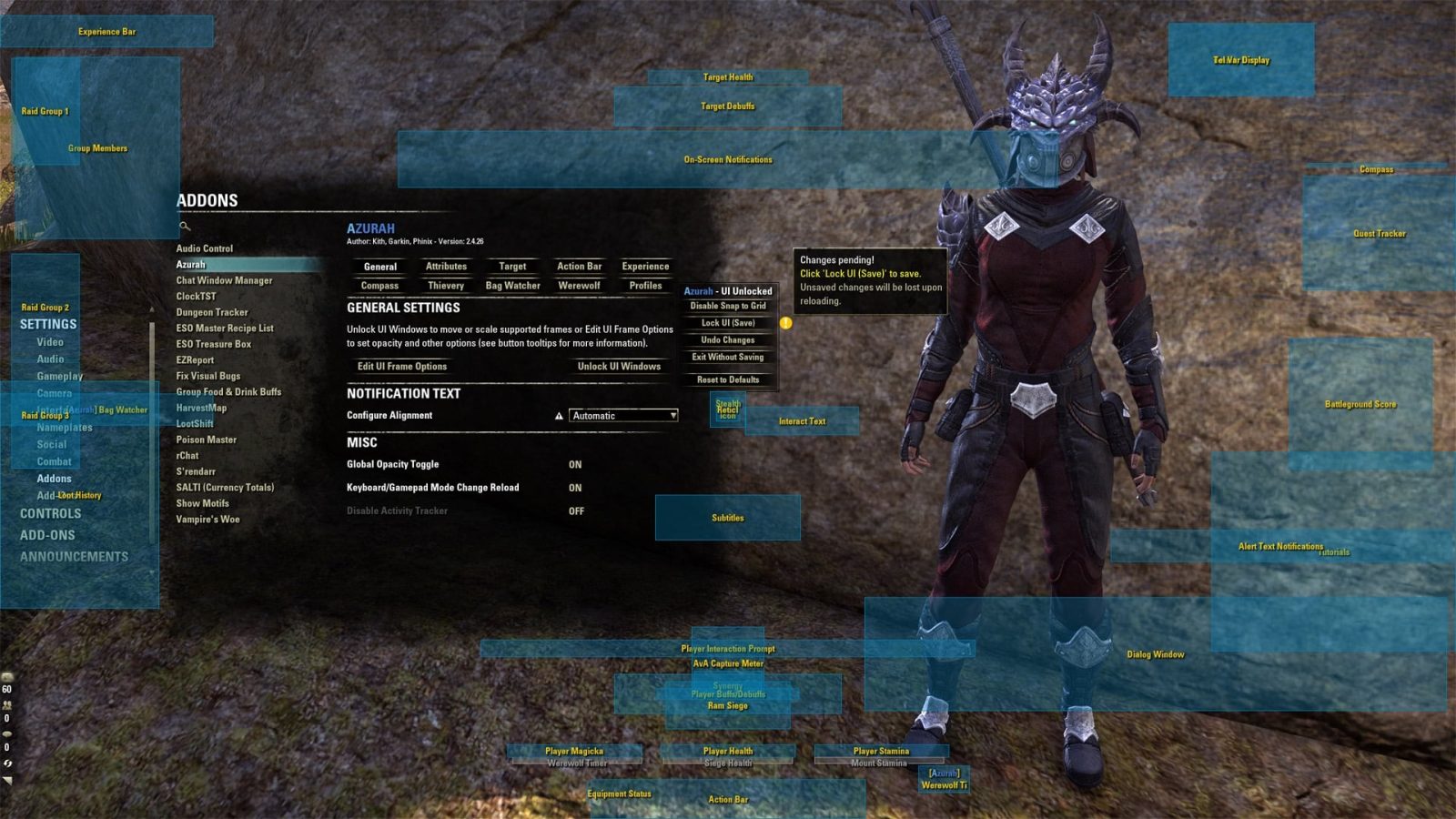
- Unlock the interface windows allowing them to be moved anywhere on the screen and scaled in size.
- Set a minimum level of transparency for your attributes or have them always shown.
- Lock the size of your attributes so food no longer makes them larger.
- Display text overlays showing your and your target's attributes.
- Show an overlay displaying your current level of Ultimate power.
- Colour the target's health bar, name and level by its reaction to you, or its expected difficulty.
- Show target player's class icon (and alliance icon) beside their name
- Show other players by character name or @account name (or both) and other options.
- Set an overlay for your experience bar as well as setting it to always be shown.
- Several options to block accidental stealing when not fully hidden to avoid unwanted bounty.
- Show when your backpack's contents change with extra options to warn you when your bag is nearly full.
- Show a timer for the remaining duration of your Werewolf transformation.
- Ability to enable account wide settings to apply the same choices to all characters on your account.
All of the above features include several options for personalization accessed from the Addon Settings menu under Azurah.
Additionally, the ability to unlock the interface for movement can be accessed via the chat window using the slash commands:
/azurah unlock = unlock UI for movement
/azurah save = lock UI and save positions
/azurah undo = undo all pending changes
/azurah exit = lock UI without saving
IMPORTANT NOTE: If the action bar or other items are not saving position when moving in gamepad mode, you MUST /reloadui after changing modes before Azurah will work! This is due to a game engine limitation where internal references that share names are not updated completely until a reload (see Misc section of Azurah's general tab.) Azurah has an option to automatically reload when swapping modes.
UPDATE: Azurah is now fully compatible with Harvest Map, including the Spawned Resource Filter options, even if you move or resize the compass!
Feature for devs:
You can now check whether Azurah has modified the scale or opacity of a passed-in frame and receive the return values it has set. Use the following function:
For example:
This will print the numerical value of the scale of the Action Bar if Azurah has changed it. Values Azurah hasn't changed return nil.
If you want to return values immediately during game startup is may be necessary to add Azurah to the OptionalDependsOn section of your addon manifest, so your addon loads after Azurah has initialized:
ABOUT THIS LISTING
This page describes Azurah - Interface Enhanced by Kith. The description and screenshots are the author's own, imported from their listing on ESOUI on 3 October 2026: https://www.esoui.com/downloads/info602-Azurah-InterfaceEnhanced.html
Mythiq.net hosts no files for it. The download button goes straight to the release file on cdn.esoui.com, so you are downloading from the author's own host, not from a copy of ours.
The download count, rating and comments on this page start at zero and count Mythiq.net only. The source's own figures are not copied here — they measure a different site, and a number that cannot be checked against our own ledger is not worth printing.
Media
Requirements
Game versions
10.2.0
10.1.0
API VERSION
Built for ESO API version 10.2.0, 10.1.0. After a patch the game marks add-ons built for the previous API as out of date; the "Allow out of date add-ons" checkbox in the add-on menu loads them anyway, and most work.
LIBRARIES
Many ESO add-ons depend on a shared library — LibAddonMenu-2.0 above all — which is installed separately, exactly like an add-on. A dependency that is missing shows as the add-on simply not appearing in the list.
CONSOLE
Add-ons are PC and Mac only. There is no way to load them on console.
Installation
1. Download the archive with the button on this page and unzip it.
2. Move the unzipped folder into your add-ons directory:
Windows — Documents\Elder Scrolls Online\live\AddOns
3. Start the game, and at the character select screen click Add-Ons.
4. Tick the add-on. If it is greyed out and marked out of date, tick "Allow out of date add-ons" at the top of the same panel.
5. Log in. Most add-ons need a /reloadui after they are first enabled.
UPDATING
Delete the old folder first. ESO loads everything it finds, and two copies of one add-on is the usual cause of "an add-on has produced an error" on login.
This release downloads from cdn.esoui.com, not from us, so
there is no checksum to compare against. Scan the archive before you unpack it.
Version history
v2.4.47Latest
13 Nov 2024 · 102 KB via cdn.esoui.com · 0 downloads Download
Hi all. Been grieving the loss of both my father and only brother and slowly dealing with the loneliness and depression. Being disabled with a sporadically bleeding mass in my head due to freak badly healed little league injury from decades ago doesn't help, but I've been inspired lately mainly due to Bethesda generously inviting me to publish some of my mods, and I have actually begun to see a light at the end of this tunnel. I wanted to get back into ESO as well and will be gradually making my way through updating all my addons to the latest release. Thanks for your support through this difficult time!
v2.4.47 ~Phinix
- Updated API for game update 44.
- Fixed issue with group and raid frames not properly maintaining position due to game code change.
- Fixed group and raid frames not working with the combat opacity system.
v2.4.46 ~Phinix
- Updated API to Scions of Ithelia.
- Added updated Russian translation (thanks ivann).
v2.4.45 ~Phinix
- Corrected some issues that cropped up in the previous Endless Archive update.
- Modified the selection box for the Endless Archive mover so it can be placed directly against any edge.
- Corrected text label for the Endless Archive mover to be more correct.
v2.4.44 ~Phinix
- Updated API to Endless Archive.
- Added Endless Archive buff tracker to the Azurah mover tables.
- Added delayed refresh for UI frames that must be updated by the game before Azurah can move them.
- Added safety check to Bossbar update to avoid possible errors.
- Other minor code maintenance.
v2.4.43 ~Phinix
- Fixed Thievery which was broken due to change from old "fishing" function object name to INTERACTIVE_WHEEL_MANAGER.
- Updated target code to show new arcanist class icon.
- Updated to current API.
v2.4.42 ~Phinix
- Fixed error related to changed UI function (all calls to deprecated ResizeToFitDescendents removed).
- Added safety check to UI pending changes reset functions.
- Updated API for Scribes of Fate.
v2.4.41 ~Phinix
- Fixed the 'Undo' button to now reset all pending UI changes to your last saved state (includes restoring last frame positions).
- Fixed (hopefully) option to hide keybinds not working reliably in gamepad mode.
- EDIT: Removed some testing functions.
v2.4.40 ~Phinix
- Fixed hide keybinds not working for updated quickslot.
- Cleaned up temporary PTS compatibility checks and fully updated to High Isle API changes.
- EDIT: Fixed rare (mostly harmless) error when reloading the UI while in combat.
v2.4.39 ~Phinix
- Added safety check to frame initialization.
- Added new button to the Edit Frames tab to reset configuration. This removes all customizations made by Azurah for the selected frame and allows other UI overhaul addons to take control of that frame (or resets it to the game's default configuration). Must /reloadui for the reset to take effect.
- Re-docked addon settings tooltips to the right of the panel to make them easier to read.
- Added more updated French language translations (thanks lexo1000!).
v2.4.38 ~Phinix
- Improved Werewolf timer to be more consistent.
- Timer will now maintain the correct time remaining when reloading the UI.
v2.4.37 ~Phinix
- Added option to cap ultimate percent value at 100% when set to relative value display.
- Added Action Bar options to block activation of Mage Light & Expert Hunter (and morphs).
- Added optional keybind toggle for above settings.
- By default Azurah will warn you if one of these abilities is blocked, however you can turn off the warning.
- Added more updated French language translations (thanks lexo1000!).
Off-site on cdn.esoui.com —
no checksum, because we never held this file.
Link checked by our review team on 3 Oct 2026.
Tell us if something is wrong — a file that will not work, content taken from
someone else, or anything that looks unsafe. Reports go to our review team, not
to the author.
We use cookies to ensure that we give you the best experience on our website and improve your experience. By continuing to use this site you consent to such use of cookies.