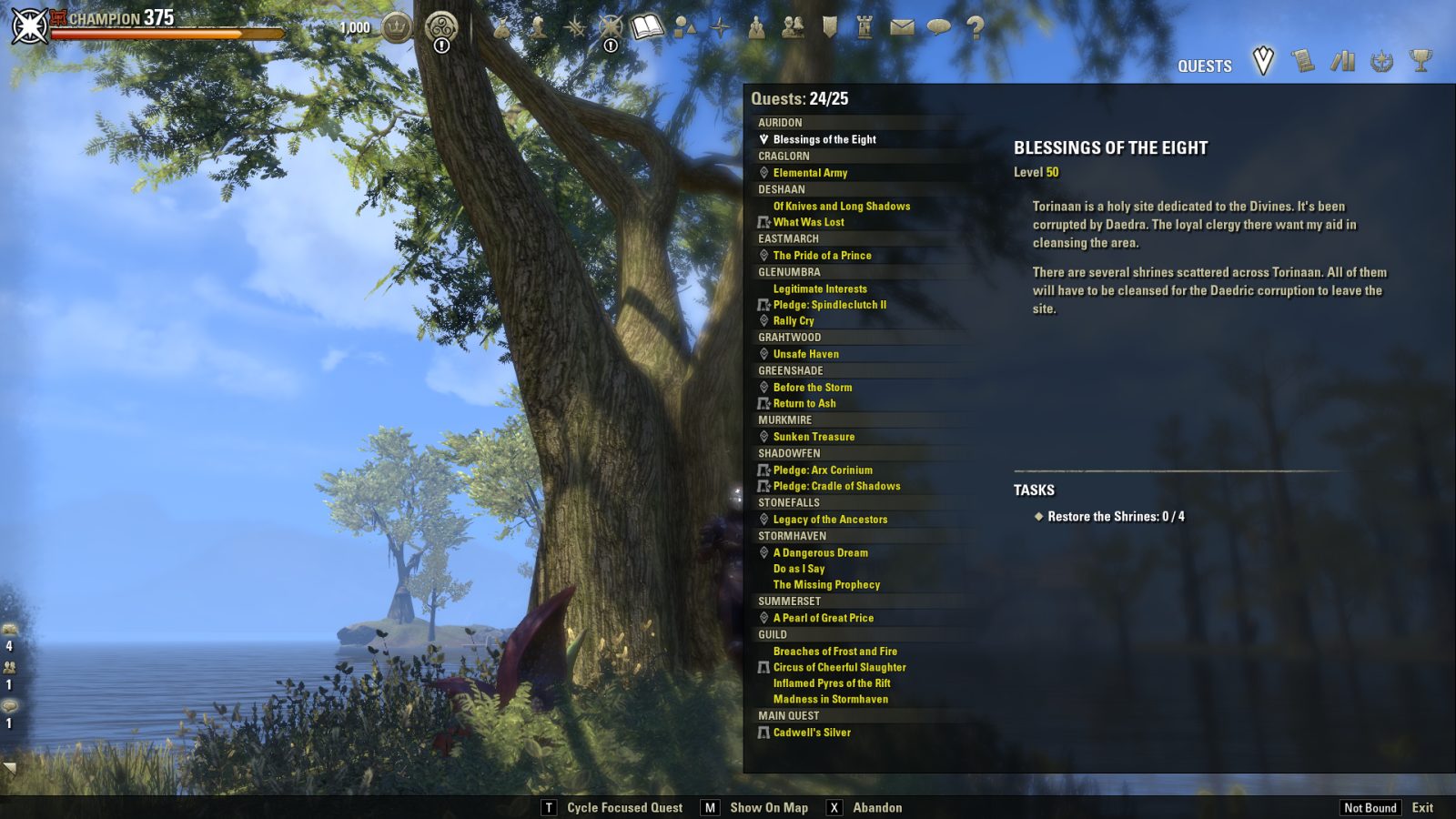
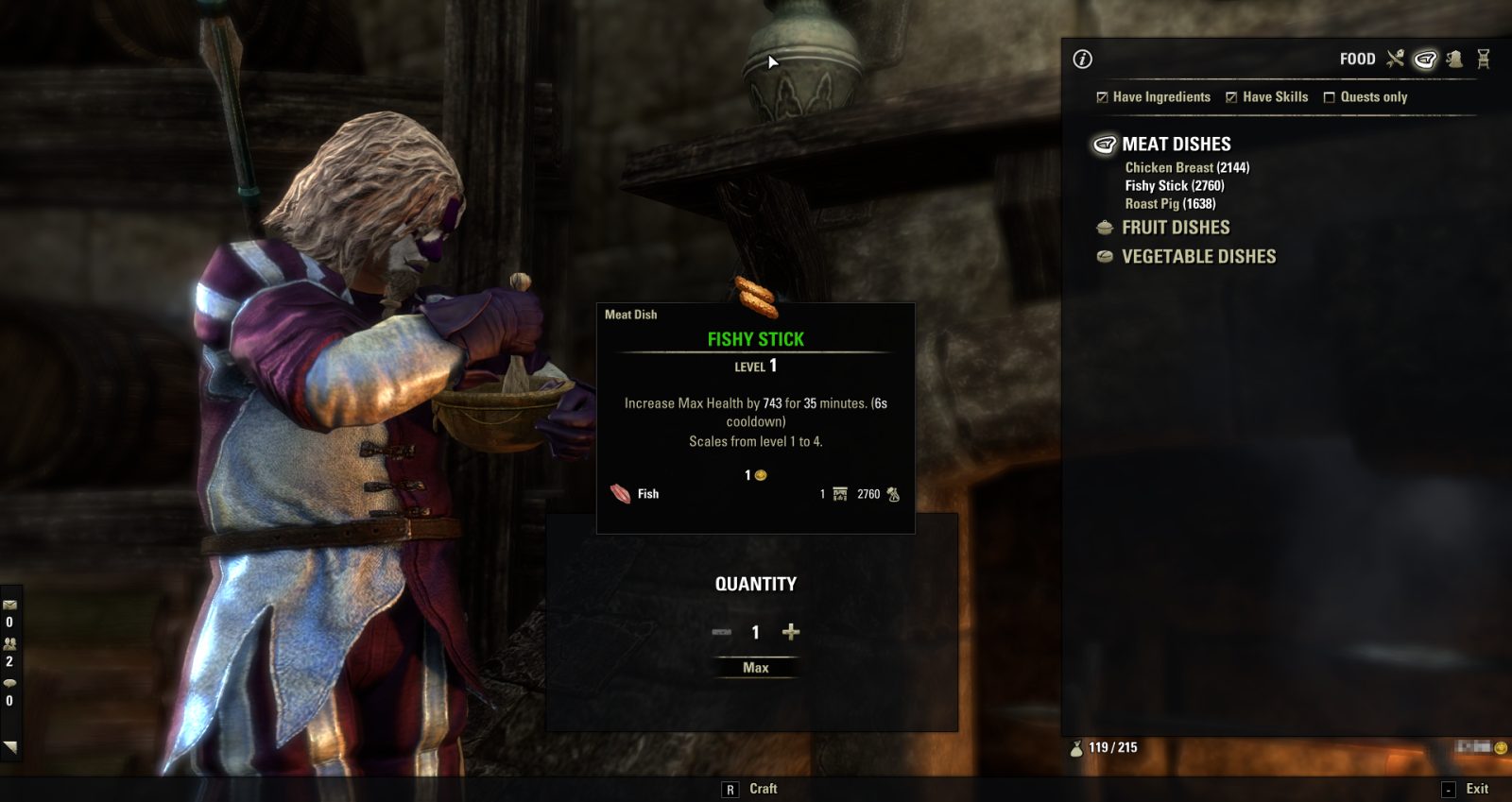
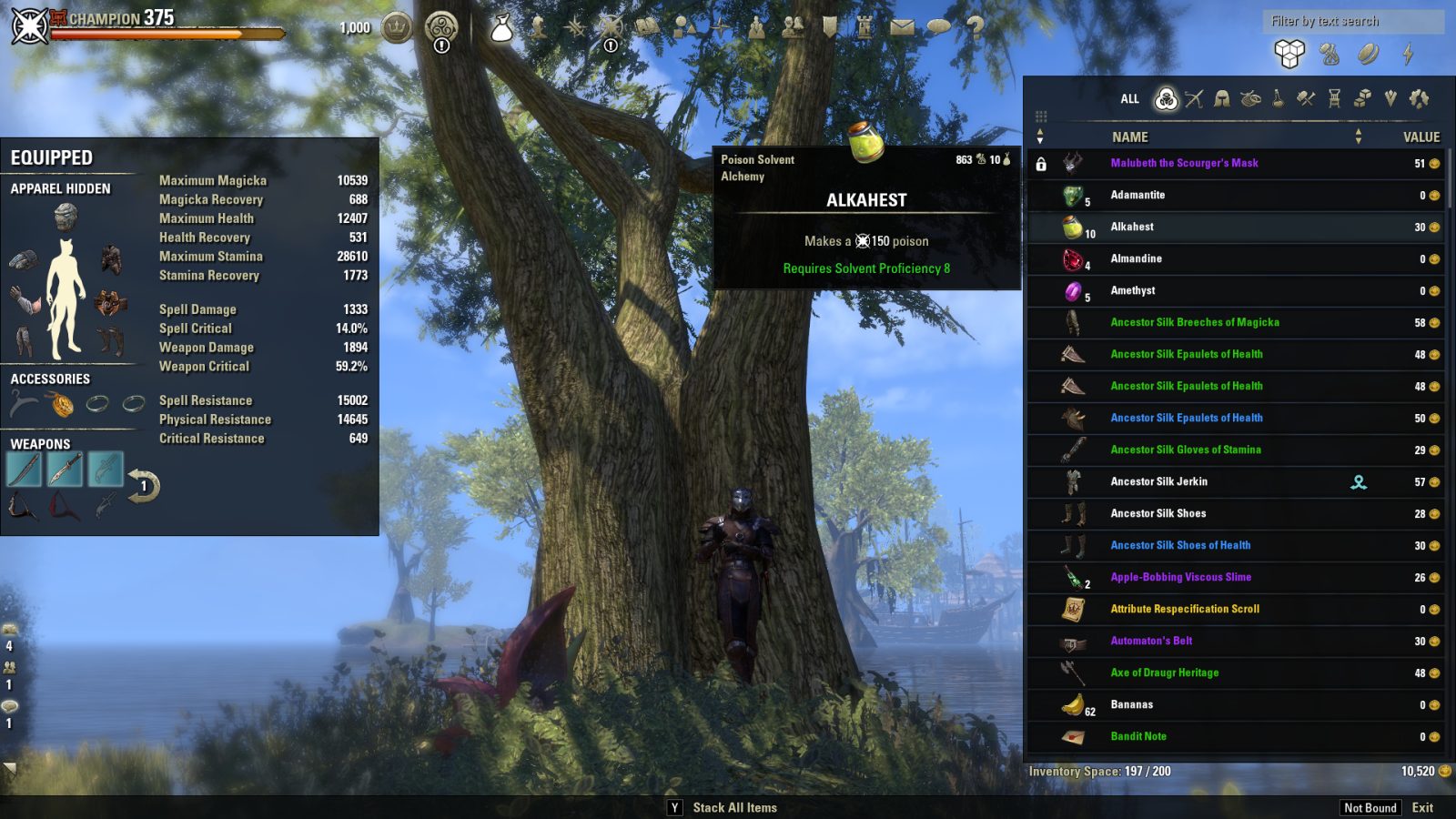
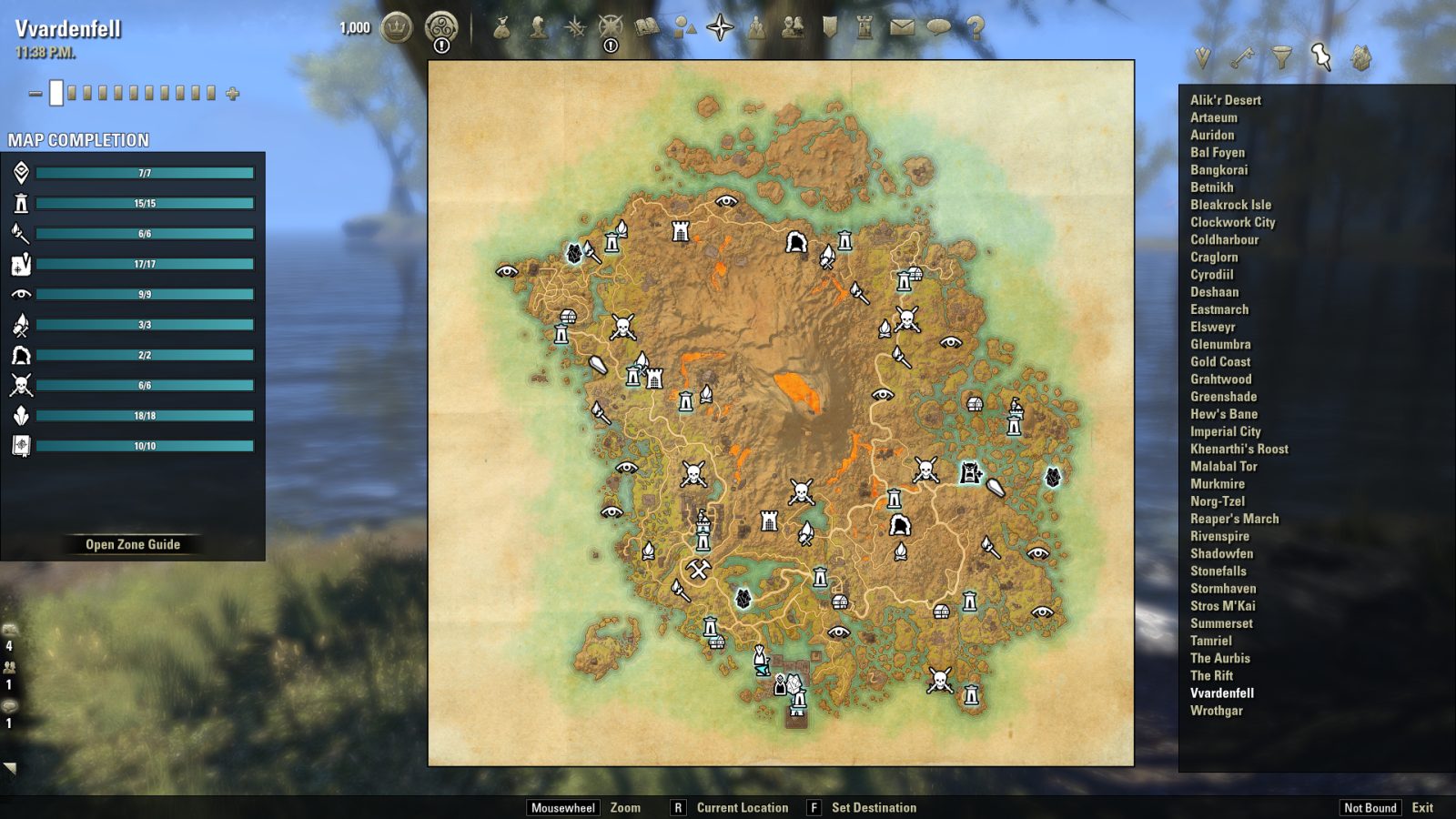
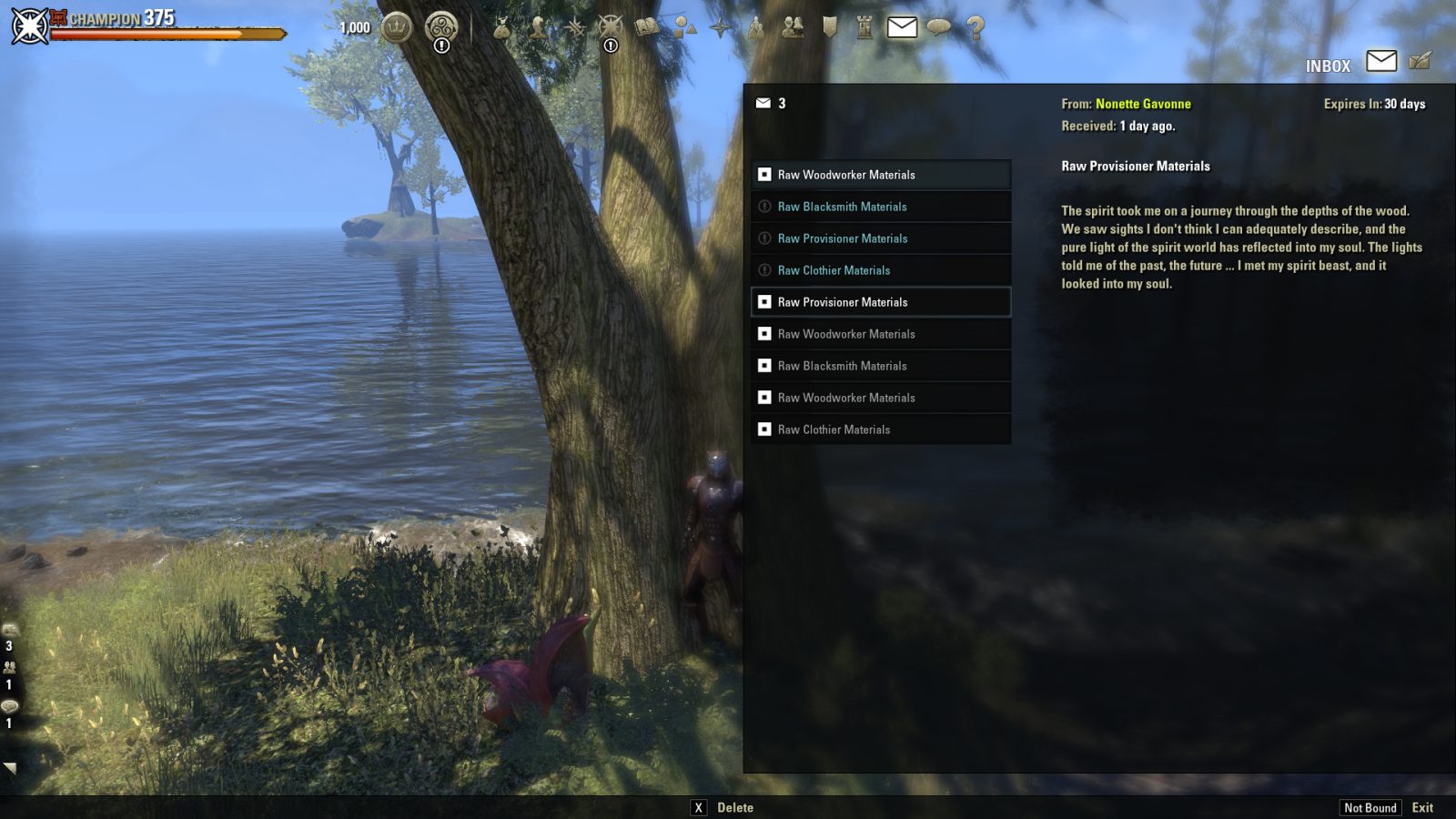
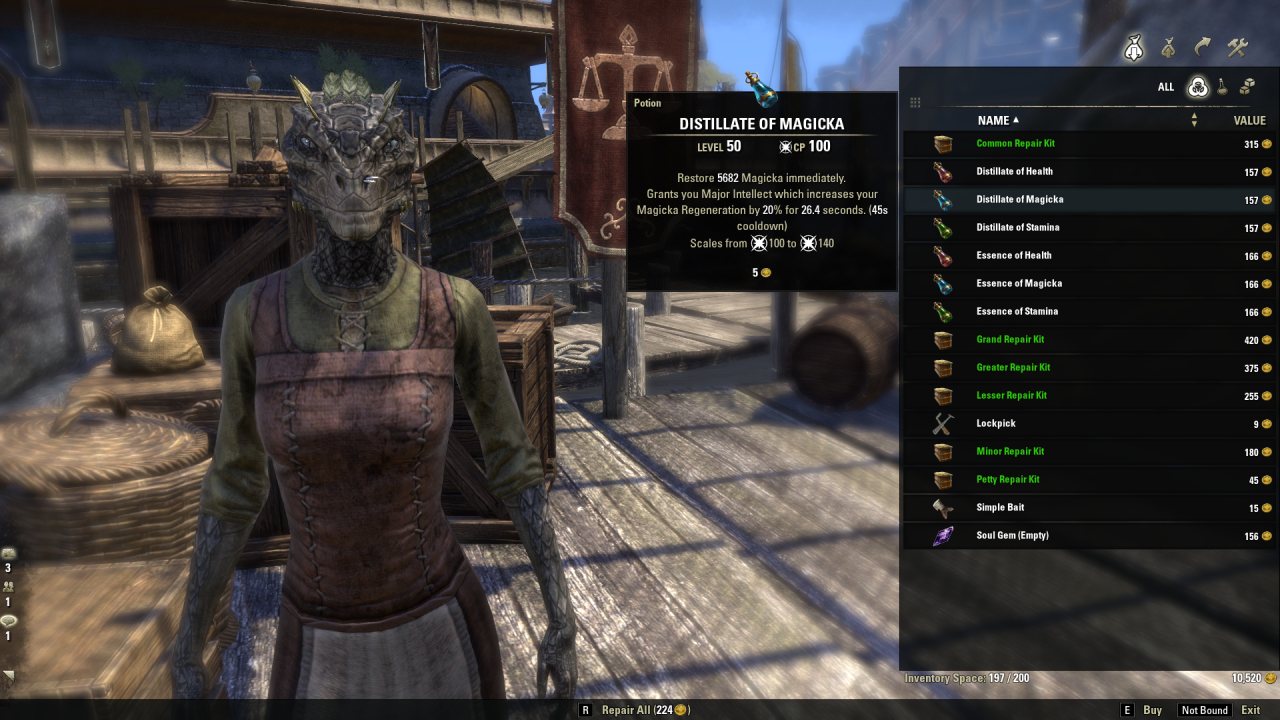
Addon changes the style of windows and expands the list of inventory.
In developing!
Please write me about all the shortcomings.
Required libraries: LibAddonMenu
Addon changes the style of windows and expands the list of inventory.
See screenshots.;)
Slash commands:
"/pp" - Settings menu.
Attention!
For correct display, the screen resolution must be at least 1920x1080. UI scaling should be disabled.
If you are forced to use scaling, do not use a 1px thick frame in lists or hide it altogether. This will help avoid rippling when scrolling.
Known incompatibilities!
This addon is not supporting the Gamepad mode nor the accessibility mode (which uses gamepad UI) so please turn off the Gamepad mode AND the accessibility mode!
Bandits User Interface: Settings → Bandits UI → Automation → Mark current pledges → OFF.
Known problems!
If you are a returning player and see the returning player UI and want to claim an icon from the gridlist, and there are no items: Disable Perfect Pixel! We cannot test this as we are no returning players and do not want to wait 3 months non-playing to do so :D
Your textures ingame are missing/invisible, shown wrong/still showing PP textures even if the addon is disabled?
Logout and close the game client.
Navigate to your live folder, search the file
and delete it (this file holds the cached textures).
Then start the launcher and client again, the file will be rebuild (1st start after deleting this file will take longer than usual!).
If you want to help or contribute:
PP at GitHub
--RU-----------------------
В процессе разработки!
Пожалуйста сообщите мне о любых недочётах.
Вы можете предложить свои идеи по функционалу.
Требуемые библиотеки: LibAddonMenu
Аддон меняет визуальный стиль и размер внутриигровых окон.
Чат-команды:
"/pp" - Окно настроек.
Внимание!
Для корректного отображения, разрешение в игре должно быть не ниже 1920x1080, функция маштабирования интерфейса должна быть отключена.
Если вы вынуждены использовать масштабирование, не используйте рамку толщиной 1px в списках или скройте ее вовсе. Это поможет избежать ряби при прокрутке.
Известные несовместимости!
Bandits User Interface: Settings → Bandits UI → Automation → Mark current pledges → OFF.
This page describes PerfectPixel by KLISK. The description and screenshots are the author's own, imported from their listing on ESOUI on 3 October 2026: https://www.esoui.com/downloads/info2103-PerfectPixel.html
Mythiq.net hosts no files for it. The download button goes straight to the release file on cdn.esoui.com, so you are downloading from the author's own host, not from a copy of ours.
The download count, rating and comments on this page start at zero and count Mythiq.net only. The source's own figures are not copied here — they measure a different site, and a number that cannot be checked against our own ledger is not worth printing.
Media
Requirements
Game versions
12.0.0
11.3.0
11.2.0
11.1.0
11.0.0
10.3.5
API VERSION
Built for ESO API version 12.0.0, 11.3.0, 11.2.0, 11.1.0, 11.0.0. After a patch the game marks add-ons built for the previous API as out of date; the "Allow out of date add-ons" checkbox in the add-on menu loads them anyway, and most work.
LIBRARIES
Many ESO add-ons depend on a shared library — LibAddonMenu-2.0 above all — which is installed separately, exactly like an add-on. A dependency that is missing shows as the add-on simply not appearing in the list.
CONSOLE
Add-ons are PC and Mac only. There is no way to load them on console.
Installation
1. Download the archive with the button on this page and unzip it.
2. Move the unzipped folder into your add-ons directory:
Windows — Documents\Elder Scrolls Online\live\AddOns
3. Start the game, and at the character select screen click Add-Ons.
4. Tick the add-on. If it is greyed out and marked out of date, tick "Allow out of date add-ons" at the top of the same panel.
5. Log in. Most add-ons need a /reloadui after they are first enabled.
UPDATING
Delete the old folder first. ESO loads everything it finds, and two copies of one add-on is the usual cause of "an add-on has produced an error" on login.
This release downloads from cdn.esoui.com, not from us, so
there is no checksum to compare against. Scan the archive before you unpack it.
0.13.39 Dakjaniels - 2026-09-28
-Updated APIversion
-Added support for journal's rumors UI
-Fixed left over debug message
0.13.38 Baertram - 2026-08-02
-Added big map mode after scrying - thx atharti
0.13.37 Baertram/Dakjaniels - 2026-08-01
-Fixed stats panel scrollbar to be easier clickable
-Fixed crafting table improvement tab's bottom section if AdvancedFilters addon is enabled (needs an update of AF too!)
Dakjaniels: Fixed tomes scene munge, fixed market scene
0.13.36 Baertram - 2026-07-03
-Fixed wider windows overlaying the character doll at outfit and other UI windows where character preview works
0.13.34 + 0.13.35 Baertram - 2026-07-02
-Added new setting at "Window Style" submenu: "Window width" -> Checkbox "Wider windows, collections e.g."
Enabled this will make some of the collections windows wider, decreasing scrolling as more items are shown in 1 line.
-> Thanks to tim99 for the idea
Before you ask: No, I won't make the inventory wider, as this leads to many possible issues, and does not provide any real benefit.
0.13.33 Dakjaniels - 2026-06-08
Made compatible with API101050
-Fixed quest log
-PPified challange difficulty
0.13.31+32 Baertram - 2026-04-30
-Moved TamrielTomes overview header to the top to fix navigation buttons to stay inside the backdrop
-PPified scrollbar at TamrielTomes weekly list
0.13.30 Baertram - 2026-04-14
Added Chinese translation by FusRoDah, thanks
0.13.29 Dakjaniels, Baertram - 2026-03-09
Dakjaniels added compatibility with update 49
Dakjaniels also added more imrovements for some UI parts -> thanks a lot!
0.13.28 Baertram - 2025-08-20
-Updated APIversion
-Added support for ImprovedGoldenPursuits by MrPikPik (thanks for the PR base)
0.13.27 Baertram - 2025-08-17
-Updated APIversion to 101047
-Fixed Golden Pursuits to hide the big image and increase the list's size to the top
0.13.26 Baertram & Dakjaniels
-Loot status icon fix, proper layer, by Dakjaniels
-SellPrice fix, by Dakjaniels
-Added BeamMeUp (partially: Backdrop and scrollbar) compatibility, by Baertram
0.13.25 Dakjaniels
-Keybindstrip fix for tainted code (quickslots)
-PopupList support added (e.g. new "returning players UI")
-Other fixes
-Added Dak to the addon authors list to value his constant contributions and fixes. Many thanks!
0.13.24 Baertram
-Fix for if someone enables a library for fun (which actually is not used in any addon at that time...): LibMainMenu2
0.13.23 Baertram
-Retrait fixes
0.13.22 Klisk, Baertram & Dakjaniels
-Many fixes and changes by Klisk
-Added support for new furniture vault
-Moved skills list to the right because of the scrollbar at the left panel (subclass entry awas added)
-Moved CraftBag name sort header and columns to the right to allow quantity >1000 to show properly
0.13.20 + 21
-Added Quest journal log and AvA compatibility and ESOProfiler, via new API functions, by imPDA
-Updated worldmap compatibility aliases fixes, by Dak
-Fixed compatibility.lua for LibExtendedJournal scrolllist size
-Added lockpicking UI time left bar in PP style and font
-Added new setting to apply the PP style to the minimized chat bar
0.13.19
-update function
0.13.18 - Dakjaniels - 2025-01-27
-Added scrollbar in PP style at guild recruitment
-Some texture nil fixes
-Better DolgubonsLazyWritStatsWindow compatibility (rows)
-Uncle Sheo complained, so we fixed DolgubonsLazyWritCrafter background if not using the default theme
0.13.17 - Baertram, Dakjaniels - 2025-01-25
-Added more tooltips
-Removed some crafting glow animations
-Reworked the AddOns manager list and keybind positions (especially in combination with AddonSelector -> Please update this addon too!)
-Updated worldmap
-Added compatibility for Dolgubons Lazy Writ Creator and /writstats UI
-Some smaller fixes here and there
0.13.16 - Baertram, Dakjaniels - 2025-01-19
-Updated for PTS API101045
Off-site on cdn.esoui.com —
no checksum, because we never held this file.
Link checked by our review team on 3 Oct 2026.
Tell us if something is wrong — a file that will not work, content taken from
someone else, or anything that looks unsafe. Reports go to our review team, not
to the author.
We use cookies to ensure that we give you the best experience on our website and improve your experience. By continuing to use this site you consent to such use of cookies.