Overview
LUI Extended requires the following libraries are downloaded:
VERSION 7.2.6.3
LUI Extended requires the following libraries are downloaded:
- LuiMedia
- LibAddonMenu
- LuiData
LUI Extended
LUI Extended is an addon that adds multiple custom components including:
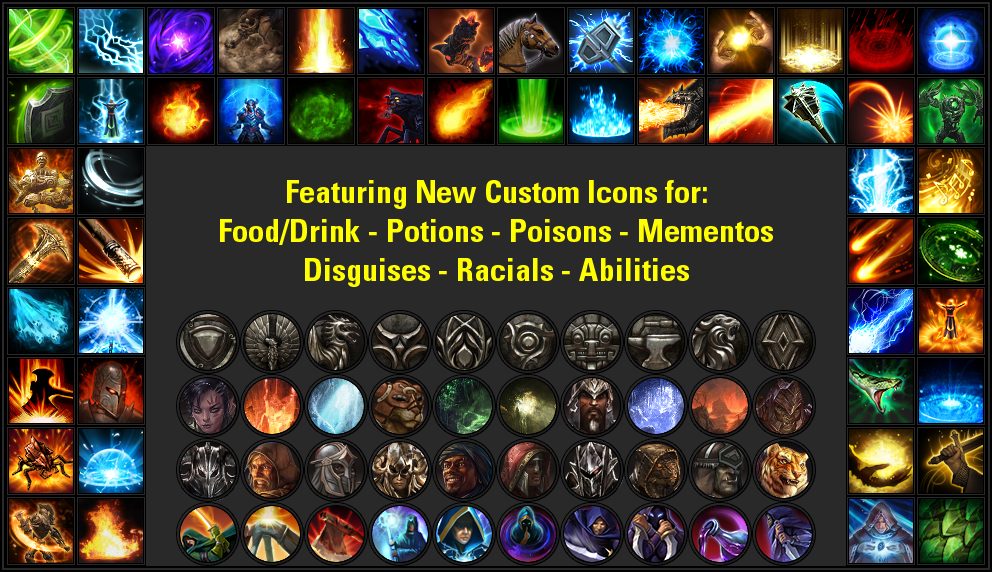
- Base Game enhancements - better tooltips for abilities, custom icons for enemy spells that lacked information, etc...
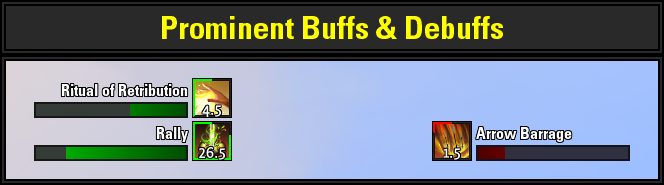
- Buff & Debuff Tracking - Track buffs and debuffs with new custom icons and significant enhancements to auras done by using a manual override table.
- Chat Announcements - Display messages in chat when spending or receiving currency, track loot, achievements, lorebooks, collectibles, experience gain, guild reputation, as well as customize chat announcements, alerts, and center screen announcements for various events such as social events, guild invites, quests, and more.
- Combat Info:
- Track your GCD.
- Enhance the default UI tracking of Ultimate Value with % tracker.
- Track the duration of abilities on your bar and quick slot item cooldown.
- Ability Cast/Channel Bar
- Alerts for incoming hostile abilities with a timer that can play sounds, show the source enemy name and color the icon border by the type of CC (if any).
- Track when you are hit by a CC effect or standing in a hostile damaging ground effect thanks to the addition of the functionality of dorrino's CC Tracker!
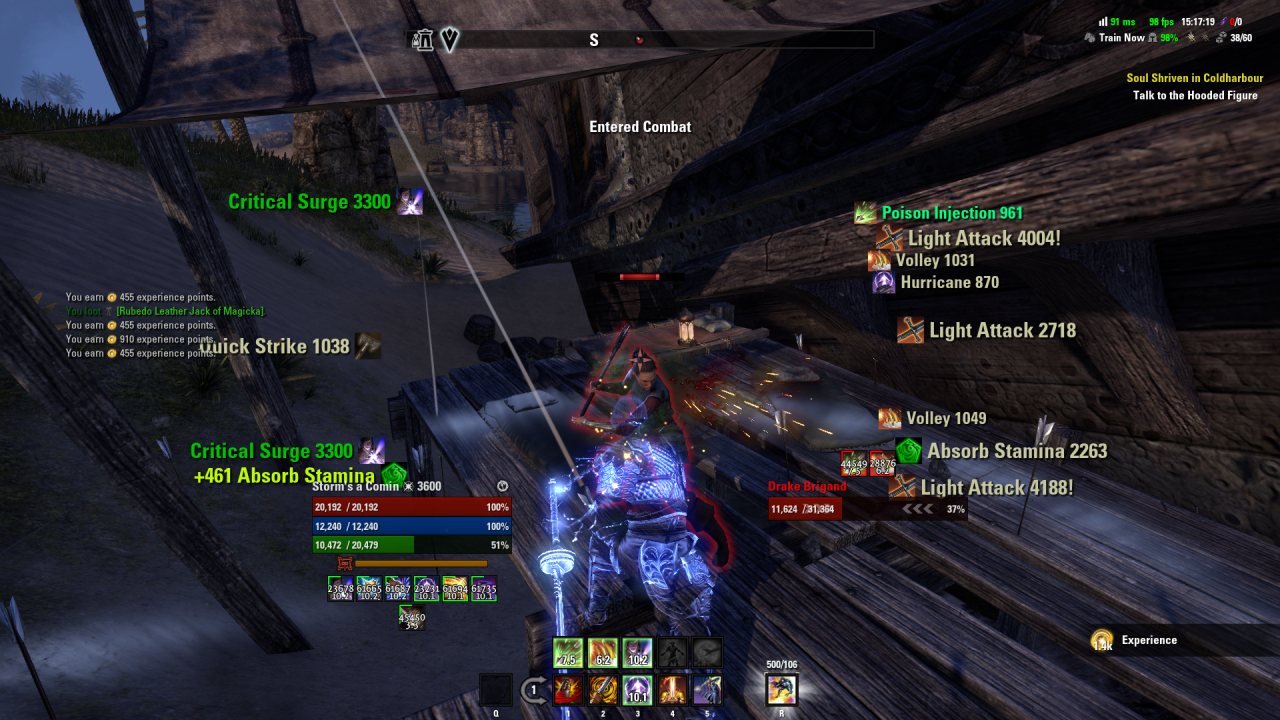
- Combat Text - Featured an updated version of SideShow's scrolling combat text addon. Display your outgoing and incoming damage/healing, track crowd control, and monitor your resource gain.
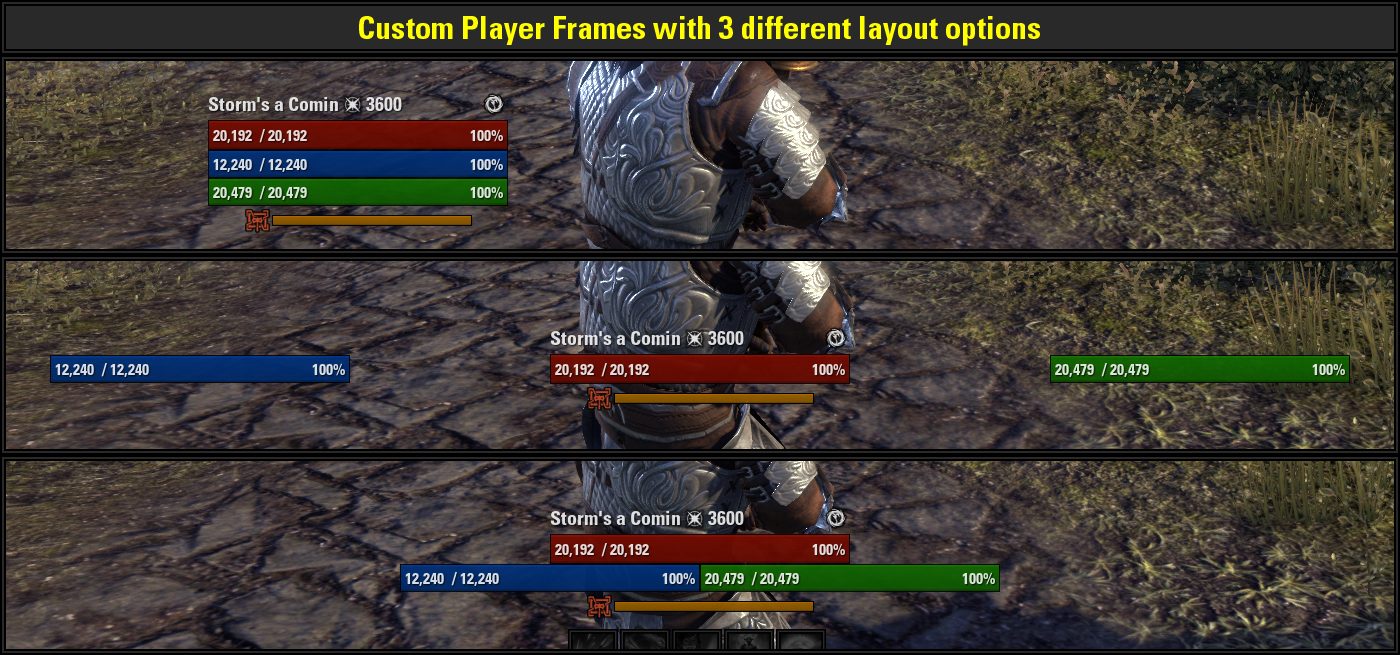
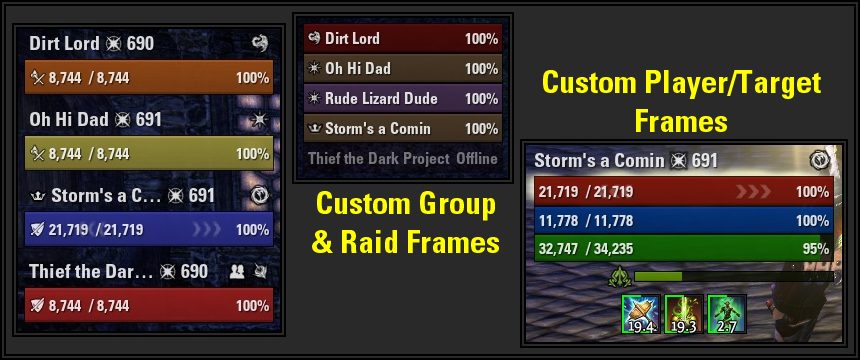
- Unit Frames - Custom unitframes for Player/Target, Group, Raid, and Bosses. Color group and raid frames by Class or Role, track power changes, armor changes, and dots with animations on the frame.
- Slash Commands - Various slash commands to make basic game commands easier. Kick players from group, start a votekick, disband and regroup your party, send guild invites etc...
Note: Screenshots for the addon were taken with DarkUI on.
SLASH COMMANDS
- /regroup - Save your current party, disband, and then reinvite the members.
- /home - Teleport to your primary home
- /campaign - Queue for a Cyrodiil Campaign
- /disband - Disband your current group
- /leave - Leave your current group
- /kick & /votekick - Kick a member from the group if you're a leader or initiate a votekick.
- /guildinvite, /guildkick, & /guildquit - Commands to invite, kick, or leave a guild
- /friend & /ignore - Send a friend request or add a player to your ignored list.
- /unfriend & /unignore - Remove a friend or remove a player from your ignored list.
BUFFS & DEBUFFS TRACKING
- Track buffs & debuffs on Player & Target as well as ground targeted buffs & debuffs.
- Track prominent buffs & debuffs cast by the player and blacklist buffs & debuffs you don't want to see.
- Filter various buffs & debuffs to hide from display.
- Custom tracking for events that do not normally create buffs - Sprinting, Galloping, Resurrection Immunity, Stealth & Disguise State
- Track additional useful information - When you have Active Mount, Active Pet, Active Assistant, Active Disguise, and monitor Recall Penalty timer
CHAT ANNOUNCEMENTS
Display custom chat announcements for:
- Currency Spent & Received
- Items Looted & loot acquired by group members
- Experience Points gained
- Guild reputation (Guild Skill line experience) earned
- Skill points earned and skill advancements
- Collectibles, Lorebooks, and Achievements
Add Chat Announcements or modify the display of Alerts or Center Screen Announcements for:
- Level Up Notifications
- Skill Points & Skill Line Progression
- Achievements Unlocked
- Collectibles and Lorebooks Discovered
- Quests & Point of Interest Discovery/Completion
- Social Events - Friend/Ignore, Trading, Guild Notifications, Dueling, Pledge of Mara
- Group, Trial, & LFG Events
- Misc Events: Lockpicking, Entering Group Areas, Bag/Bank Space Upgrades, Mail Notifications, Justice Notifications, Disguise State Notifications
- Alerts & Errors
COMBAT INFO
- Track Global Cooldown (based off the unimplemented ZOS method) with various customization options!
- Track your current ultimate value, percentage, and display a backdrop texture when generating ultimate.
- Track the cooldown of your quickslot items.
- Player Cast Bar:
- Track the duration of active abilities on your bar (With the ability to toggle labels on/off).
- Display an alert and play a sound when an enemy ability is cast directed at you, or when an enemy summons an add, summons a priority target you need to destroy, or buffs itself with a significant ability.
- Display an icon in the center of your screen when you are hit by crowd control or standing in a damaging AOE effect. Option to play a sound for the different types of hostile AOE effects, and toggle them on/off by category such as Player Ultimates, Boss Abilities, Normal Enemy Abilities, and Traps.
COMBAT TEXT
- Choose from 4 different display methods: Ellipse, Scrolling, Cloud, or Hybrid
- Display Combat Text for incoming/outgoing healing & damage
- Choose font format, color for text, message format, and toggle icons on or off
- Track incoming/outgoing Crowd Control & Low Resources
- Notifications when entering/exiting combat
- Override critical damage and incoming damage colors to emulate ZOS combat text.
UNIT FRAMES
- Custom Player/Target, Group, Raid, Boss, and PVP Unit Frames
- Choose from multiple formats for labels
- Display an overlay for active shield effects
- Color Group & Raid Frames by Role or Class Color
- Track Hots/Dots with animated arrows
- Track Power Gain/Loss & Armor Increase/Decrease with animations and texture overlays
- Hide frames in or out of combat
- Anchor LUIE Buffs & Debuffs to custom unit Frames
- Optionally overlay default frames with new label formatting
RESOURCES
- GitHub Discussions: If you have general feedback, ideas, or comments feel free to join in here on GitHub Discussions! This is a more convenient place to post ideas up since it serves as a discussion forum for the addon.
- Bug Reports/Feature Requests: Report bugs/issues with the addon here or make a feature request.
- AbilityId Spreadsheet: This spreadsheet is a WIP of tracking all the abilities in game, player spells, buffs, debuffs, enemy abilities, etc.
THANKS
- Translation:
- FAR747 - Massive update to RU translation
- KiriX - Vast majority of initial RU translation effort
- Amanozako - Additional RU translation
- AmonFlorian - DE translation
- saenic - DE translation
- Zhull-GH - FR translation
- Contributors:
- Spellbuilder - The original mastermind behind LuiExtended - we wouldn't be here without him!
- Eearslya Sleiarion - Various component fixes and added options
- SilverWF - Updating the role color & icon functions in UnitFrames for LuiExtended 5.6.1 after a API changes
- AmonFlorian - Horizontal Prominent Buffs code, Combat Text speed options, fixing an outdated hook in Chat Announcements for 5.9.5
- nomaddc - Forced Square font implementation
- saenic - Ability Alert label fraction option updates, Grainy Statusbar texture implementation, German translation, updates for CombatInfo components
- Nagolite - Updates and fixes for Slash Commands & keybindings
- Module / Component Contributions:
- Combat Text: This module was originally sourced from Combat Cloud by Samantha James (Sideshow ). The vast majority of the code is written by Sideshow and has been updated with new features and implemented into LuiExtended. Thanks to Sideshow for the incredible Combat Cloud addon!
- Combat Info: Crowd Control Tracker: I received permission from dorrino from to update and implement the features of Miat's CC Tracker into LuiExtended. Big thanks to dorrino for providing an excellent addon and saving me a ton of time trying to write my own component when a great addon like this already existed.
- Custom Art Assets:
- Custom Art Assets by and modified from J. W. Bjerk (eleazzaar) licensed under the CC BY 3.0 license.
- Custom Art Assets by and modified from AKiZA, Angelina Avgustova, Blade Dancer, ClayManStudio, Cool Art, Dayed, Digital Worlds JSC, Ever Probe, HOSE, Jon Snow, Josch, Kalle Olli, Little Sweet Daemon, MiDaEm, Moon Tribe, N-hance Studio, PONETI, REXARD, Sky Painter, The 7 Heaven, TiGame, and TonityEden licensed under the Unity Store single entity license.
- Custom Art Assets by and modified from a-ravlik, Horski, and micart licensed under the GraphicRiver regular license.
- Custom Art Assets by and modified from damnwing, Forrest Imel, Frostwindz, and Ruixi licensed under the GameDevMarket.net pro license.
- Custom Art Assets by and modified from Combo 21 licensed under the construct.net asset license.
- Some code and/or ideas used in this addon are very similar to that found in the following addons:
- FTC - Initial short-term buffs implementation, damage meter code and ideas for custom player frame layout.
- Combat Cloud - Combat Cloud was implemented into LUIE for scrolling combat text.
- Srendarr - short-term buffs spell cast activation and passives tracking.
- pChat - Timestamp and parts of print to chat function used.
- AchievementInfo - achievement tracking in Chat Announcement module.
ABOUT THIS LISTING
This page describes Lui Extended by DakJaniels. The description and screenshots are the author's own, imported from their listing on ESOUI on 31 August 2026: https://www.esoui.com/downloads/info818-LuiExtended.html
Mythiq.net hosts no files for it. The download button goes straight to the release file on cdn.esoui.com, so you are downloading from the author's own host, not from a copy of ours.
The download count, rating and comments on this page start at zero and count Mythiq.net only. The source's own figures are not copied here — they measure a different site, and a number that cannot be checked against our own ledger is not worth printing.