Please read this before posting the same questions again:
FAQ / Frequently asked questions / Questions fréquemment posées / Oft gefragte Frage
Existing bugs/known problems are listed at the addon comments -> 1st sticky post.
Any exisitng beta version is listed at this sticky post's bottom lines too, including bugfixes and new features. Read the beta changelog for details. You are able to download and install the beta only manually from GitHub, not via Minion! Read the ESOUI help link about manually installing addons please, and also read the FCOIS sticky comment info about how to extract the beta zip file's folder!
This addon depends on the following libraries:
-LibAddonMenu-2.0
-NEW: LibAddonMenu-2.0 - OrderListBox widget
-LibCustomMenu
-LibDialog
-LibFilters-3.0
-LibMainMenu-2.0
-LibFeedback
-LibShifterBox
and many other addons... (some of the addons listed above are only kept for reference as they are outdated and discontinued meanwhile! Please do not use such addons anymore.
You should/must close and restart the game client to recognize the new libraries in the addon manager! Do not report any error here if you have not logged out during updating your addons and have not restarted the client properly!
Additional information about libraries and why I have changed my addons to use standalone, and not included libraries anymore, can be found in the general FAQ
This addon is not supporting the Gamepad/Controller user interface! You can use another addon like "Advanced Disabled Controller UI" to get the menus and inventory work with FCOIS, and use the controller ingame to fight etc. But the total gamepad UI for inventories won't work!
But you need to disable the gamepad mode in the ADCUI settings (which enables the normal keyboard UI In the menues and inventories) in order to let FCOIS work properly with it!
This addon is neither a copy or clone of ItemSaver. It's much more and works differently.
Last change:
Please read the changelog / click the changelog link at the addon popup inside Minion
What's the idea of this addon?
Do you want to get a better overview inside your inventory?
Did you also destroy an item you wanted to keep for higher levels, any research or just sell at the guild store?
Do you want to mark those items somehow so they are easily recognizable in your inventories?
Do you want to get an error message if you try to destroy/deconstruct/sell/trade/equip/read/use/mail/etc. any of your "special" items?
Do you want to confirm the equipping of bindable items before it gets bound to your account?
Do you use several different armor sets and want to mark each armor, weapon & jewelry item with an icon, so you can easily see and switch those sets?
Do you want to mark complete equipped items as a special set (heal, dd, tank, off-tank, quest, etc.)?
Do you want to automatically mark ornate items to select them with 1 click at a vendor?
Do you want to automatically mark intricate items to select them with 1 click at a deconstruction panel?
Do you want to automatically mark your researchable items that you need for your crafting skills (needs the addon "Research Assistant" activated)?
Do you want to automatically mark your set parts (filtered by their trait so only your divine and sharpened stuff gets marked)?
Do you want to automatically mark your non-wished set parts for selling & deconstruction, depending on their item quality?
Do you want to avoid depositing items to a guild bank where you are not able to withdraw (because of missing guild rights) them again?
Do you want to totally set up the marker icons you can use (color, texture, size, etc.)?
Do you want to setup the behaviour for each marker icon differently (save my items so they won't get destroyed but can be mailed, etc.)? -> "Dynamic" icons
Do you want to move all items you have already "marked for sell" (FCOIS marker icon) to the junk at once?
Do you want to automatically mark your known/unknown set collection items (via ZOs vanilla game checks for the currently logged in account, or even LibMultiAccountSets for not logged in accounts)
Do you want to automatically bind your set collection items which are unknown (only possible for the logged in account!)
This addon will help you with all these points, and many more!
List of features:
- Distinguish between ZOS unique item IDs (unique for each item!), FCOIS unique itemIds (choosable: different enchantment, level, style, crafted, crafter name, quality ...) and non-unique item IDs ("same name = same item" [depending on some criteria like the item level, checked via the itemInstanceIc])
- Mark items with several icons (About 60 different icons to choose from) -> You can use keybindings to mark/unmark the icons too
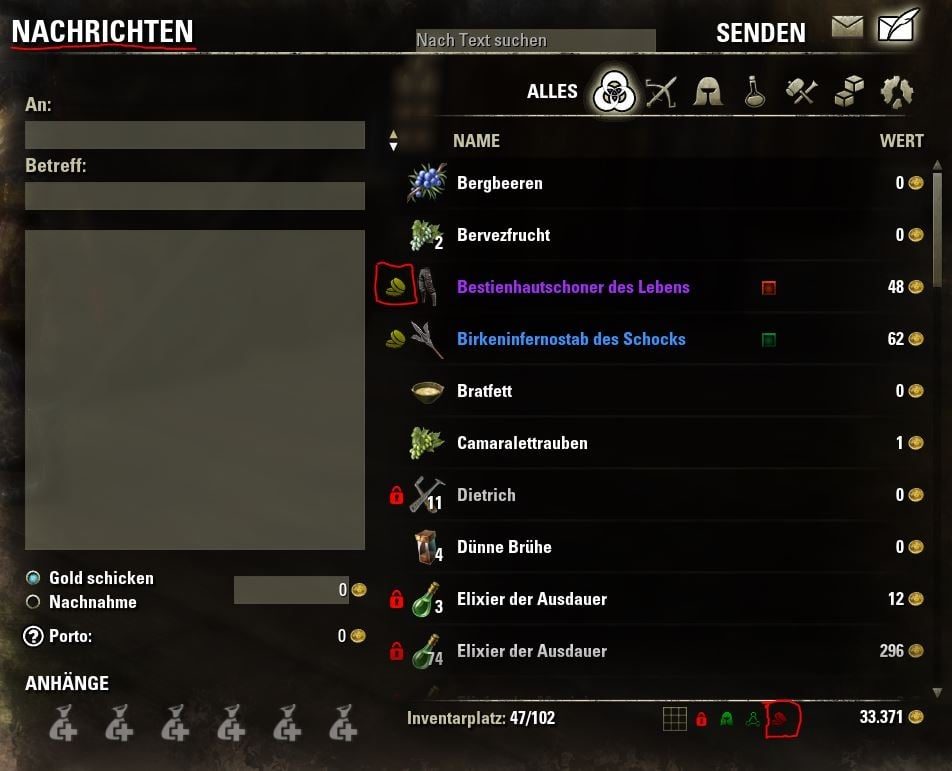
- Mass de/mark items with the additional inventory 'flag' icons (top left of the inventories). Right click the flag icons to disable/enable the protections.
- Fully customizable icons (size, color, position, texture)
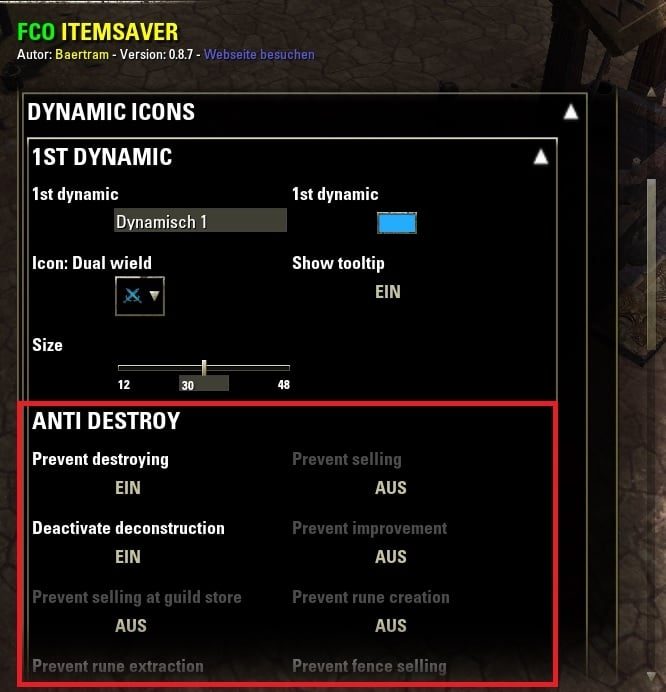
- 30 dynamic icons - Each icon can behave different at the same panel! e.g. block an item at the deconstruction panel but allow another one.
- Hide/Show/Only show the marked items (filter them with 4 different filters, each assigned to different icons)
- Remember each filter state for inventories (bank, player, trade, mail, deconstruction, improvement, enchanting creation, enchanting extraction, guild store, guild bank, craft bag)
- Right-Click/Context menus + new buttons at inventories
- SHIFT + Right click to remove/reset all shown marker icons (reset will only work until a realoadUI was done somehow, manually or by zone change etc.!)
- Mark/Unmark all items at an inventory with one click
- Mark/Unmark gear sets with one click
- Undo your last action with one click
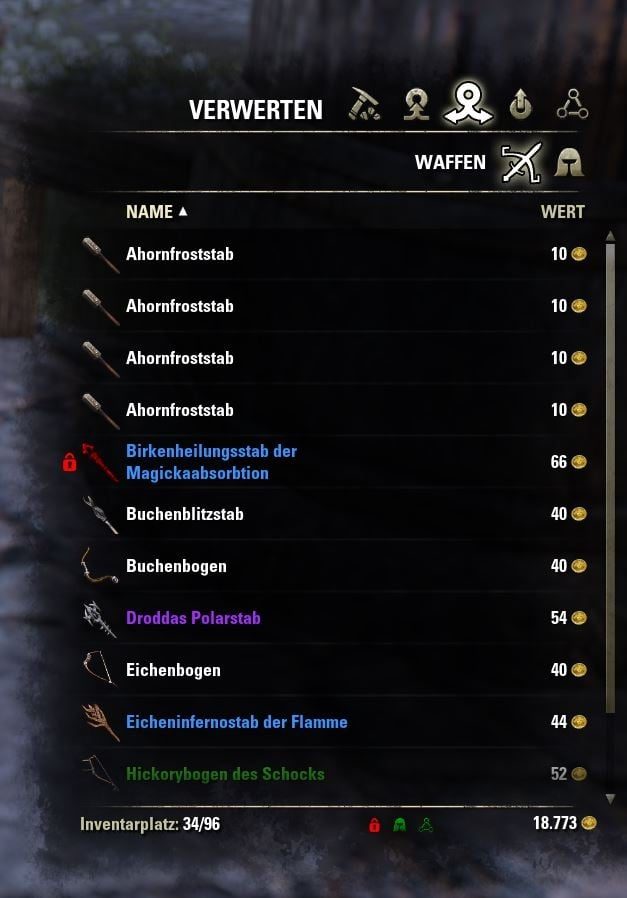
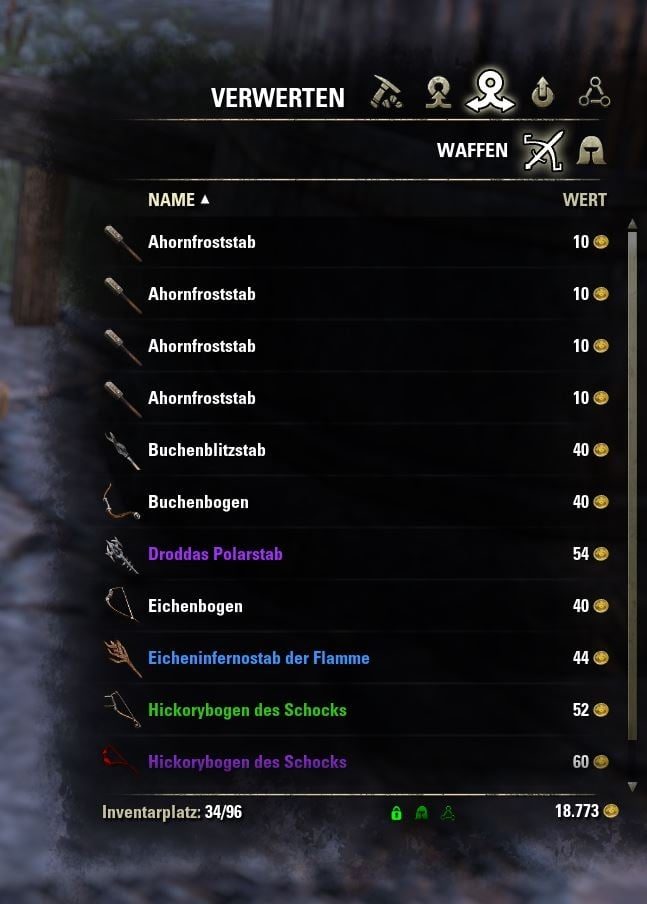
- Block researching/enchanting/deconstruction/destruction/extraction/mail sending/trading/selling for marked items (does also block the keybindings for keyboard players!)
- Show confirmation dialog before binding an item to your account (dialog shows the name and color of the item)
- Define your own equipment gears (5 different possible, each of them can be disabled) by using different icons & names
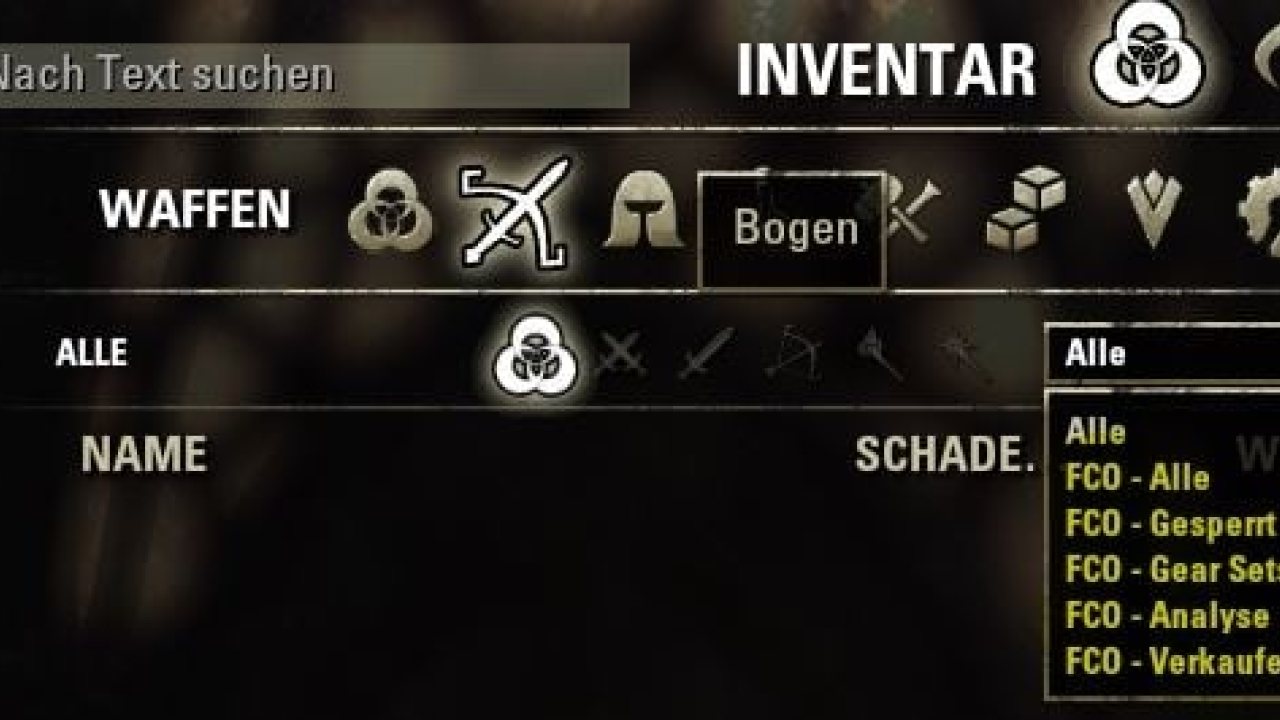
- Filter your inventories for all equipment gears, or choose one of the equipment gears from a dropdown list (right click the equipment gear filter icon at the bottom of your inventories to show a context-menu)
- Filter your inventories for researchable/deconstructable/improvable items, or choose one of these from a dropdown list (right click the research filter icon at the bottom of your inventories to show a context-menu)
- Automatically mark ornate items with an icon
- Automatically mark intricate items with an icon
- Automatically mark researchable items with an icon (addon "ResearchAssistant" must be installed and active!)
- Automatically mark known recipes for selling at the guild store (addon "SousChef" must be installed and active and the option 'List Characters Who Know Recipe' must be enabled at the SousChef addon settings! Or you can use CraftStore or LibCharacterKnowledge for the recipe known state detection).
- Automatically mark unknown recipes (addon "SousChef" must be installed and active and the option 'List Characters Who Know Recipe' must be enabled at the SousChef addon settings! Or you can use CraftStore or LibCharacterKnowledge for the recipe known state detection)
- Automatically mark known motifs for selling at the guild store. LibCharacterKnowledge must be enabled
- Automatically mark unknown motifs. LibCharacterKnowledge must be enabled
SousChef addon settings! Or you can use CraftStore or LibCharacterKnowledge for the recipe known state detection)
- Automatically mark new crafted items with an icon (with the possibility to only mark new crafted set parts)
- Automatically mark new gained set part items (from your loot) with an icon
- Automatically mark set parts (choose which traits will be marked)
- Automatically mark non-wished set parts (non chosen traits) with another icon, or make it dependent to the item's quality
- Automatically mark set parts that are tracked via addon SetTracker with an FCOItemSaver icon
- Automatically mark unknown/known set collection items
- Automatically bind unknown set collection items
- Integration of ItemCooldown tracker to automatically mark items that got a cooldown
- Block containers from auto looting, even if auto loot is enabled in standard ESO settings
- Block recipes from beeing read if they are marked with an icon
- Customizable context menus, menus and a bunch of settings to adopt the addon to your needs and usecases!
- Remove all marker icons/restore last marked with the right mouse button + SHIFT key, or using the context menu (for both: if enabled at the settings menu)
- Keybindings to filter icons at the current inventory
- Keybindings to mark/demark items
- Support for several other addons and libraries: Your items are protected if you use these addons and activate their FCOIS integration/checks (see optional dependences above)
- Backup & restore of marked items (you need to do it manually before and after a patch where the itemInstanceIds might get changed by ZOs!). See below at "backup & restore" section.
- And many other features
To check all features please have a look at the ingame settings menu.
New - Support for "AdvancedFilters" filter plugins:
Select FCOItemSaver marked items from AdvancedFilters dropdown boxes.
Install this addon: AdvancedFilters plugin - FCOItemSaver
For developers:
Please have a look at the developers section further down in this description text.
The changelog was moved to the appropriate panel, because Minion will finally be able to show the changelog correctly too. Please click on the blue text "Changelog" inside Minion's addon popup.
FCO ItemSaver was developed on base of ingeniousClowns Item Saver!
Meanwhile I've changed ALL the coding and added more icons, filters, features, removed some bugs and non wished behaviours, etc.
This addon eases the handling of your items inside your inventory, bank, player2player trading, mails, guild bank, vendors, guild stores, craft bag etc.
It will provide you 42 different icons (changeable - select from a long list of available icons) for your
inventory items which you can easily activate/remove by the right click mouse menu.
It will provide you with 5 selectable gear set (you choose the description and the icon!), and 30 dynamic icons which each can be activated to function as gear set too.
It will also provide you with the possibilities to mark complete sets at once, with/without weapons and with/without jewelry.
1st icon - Red lock: Intended to show this item as locked for later usage
2nd icon + 4th. icon - Green and light blue helmet: Intended to mark your current equipment (5 different gear sets are possible!) for an easier overview (especially at the repair stations)
3rd icon - Gray analysis icon: Intended to mark your next item(s) for reasearch
5th icon - Yellow coins: Mark item for later selling
6th icon - Another gear set 3
7th icon - Another gear set 4
8th icon - Another gear set 5
9th icon - Deconstruction
10th icon - Improvement
11th icon - Sell at guild store
12th icon - Intricate
13th - 30th icon - Dynamic icons
The following global variables are available for the different icon numbers:
In addition this addon provides you 4 filters to hide/show the marked items.
1 for locked items, 1 for the 5 equipment gears, 1 for the research/deconstruction/improvement items and 1 for selling/selling at guild store and intricate items.
You are even able to split the filter buttons, so they will remember their state for each of the above mentioned panels (inventory, crafting stations, vendors, guild stores, etc.)!
Each filter got 3 states, indicated like a traffic light: ON (green), ONLY SHOW MARKED ITEMS (yellow) and OFF (red).
How to use this addon?
Icons:
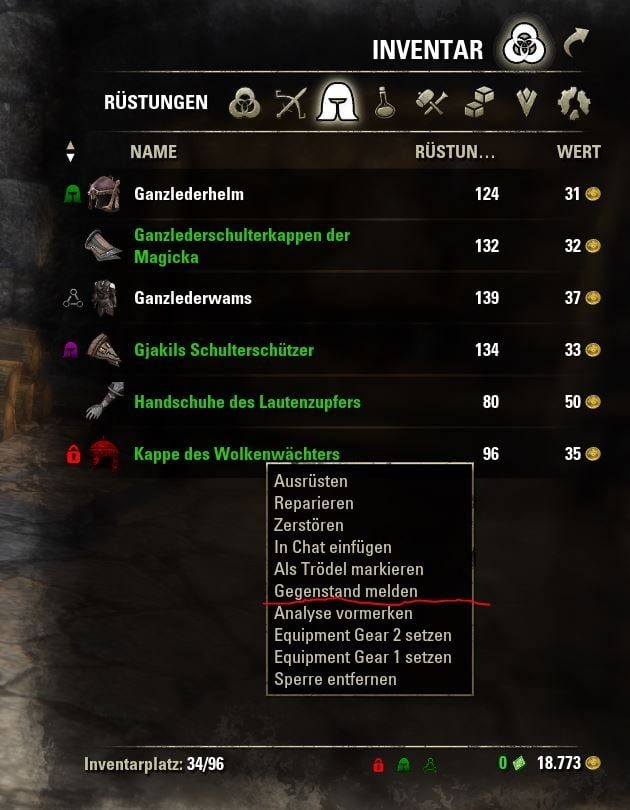
Simply right-click with your mouse on an item in your inventory/crafting station/bank/guild bank/etc. and choose one of the new "FCOItemSaver" menu entries.
Each item you enable an icon for will change the right-click menu text to the appropriate "disable" afterwards and it'll change the color of the enabled entry too.
Filters:
You are able to enable/disable the filters inside your inventory/the crafting stations/the bank/the guild bank/the trade panel/the mail panel/the vendor panel/the enchanting table creation&extraction, the craftbag and others by clicking the 4 icons at the bottom of your inventory.
Green icon: Filter is enabled. Marked items are hidden
Red icon: Filter is disabled. Marked items are shown.
Yellow icon: Filter is only showing marked items
The yellow filter will always weight more then the green filter. So enabling yellow filters will show the filter's items prior to hiding the other items only filtered with green!
You could also use chat commands to enable the filters.
If you just enter /fcois into the chat you will see a list of ALL chat commands.
Supported chat commands
'help' / 'list': Shows this information about the addon
'status' / '': Shows actually enabled filters
'filter1': Show/Hide category 1 (lock symbol) items
'filter2': Show/Hide category 2 (helmet symbol) items
'filter3': Show/Hide category 3 (research symbol) items
'filter4': Show/Hide category 4 (coins symbol) items
'filter': Show/Hide category 1 - 4 items
'alloff': Show categories 1 to 4 items
'allon': Hide categories 1 to 4 items
'allshow': Only show marked items of categories 1 to 4
'd': Enable/Disable the debug mode with only some messages shown
-> Adds an entry to the context menu of inventories which shows you the bagId and slotIndex. If you click this entry the chat edit box will get a /zgoo entry where you only need to exchange
the placeholder with an FCOIS iconId, and you're able to check if the item is saved in the marker database. The addon will automatically calculate and show you the unique ID used
for that item).
'dd': Enable/Disable the deep debug mode with more details
'ddd' : Set the deep debug depth. Value is valid between 1 (less details) and 5 (full details)
Possible values are (coming from library LibFilters 3.0 !):
-> See list of LF_* filter panels (filterType) at the library's description!
Possible : true / false / show
'filter1 ': Hide / show / only show marked items of catergory 1 (lock symbol) at panel
'filter2 ': Hide / show / only show marked items of catergory 2 (helmet symbol) at panel
'filter3 ': Hide / show / only show marked items of catergory 3 (research symbol) at panel
'filter4 ': Hide / show / only show marked items of catergory 4 (coins symbol) at panel
'filter ': Hide / show
Media
Requirements
Game versions
12.1.0
12.0.0
11.3.0
11.2.0
11.1.0
11.0.0
API VERSION
Built for ESO API version 12.1.0, 12.0.0, 11.3.0, 11.2.0, 11.1.0. After a patch the game marks add-ons built for the previous API as out of date; the "Allow out of date add-ons" checkbox in the add-on menu loads them anyway, and most work.
LIBRARIES
Many ESO add-ons depend on a shared library — LibAddonMenu-2.0 above all — which is installed separately, exactly like an add-on. A dependency that is missing shows as the add-on simply not appearing in the list.
CONSOLE
Add-ons are PC and Mac only. There is no way to load them on console.
Installation
1. Download the archive with the button on this page and unzip it.
2. Move the unzipped folder into your add-ons directory:
Windows — Documents\Elder Scrolls Online\live\AddOns
3. Start the game, and at the character select screen click Add-Ons.
4. Tick the add-on. If it is greyed out and marked out of date, tick "Allow out of date add-ons" at the top of the same panel.
5. Log in. Most add-ons need a /reloadui after they are first enabled.
UPDATING
Delete the old folder first. ESO loads everything it finds, and two copies of one add-on is the usual cause of "an add-on has produced an error" on login.
This release downloads from cdn.esoui.com, not from us, so
there is no checksum to compare against. Scan the archive before you unpack it.
Version history
v2.8.4Latest
6 Oct 2026 · 589 KB via cdn.esoui.com · 0 downloads Download
Please READ and inform yourself before posting comments:
FAQ / Frequently asked questions / Questions fréquemment posées / Oft gefragte Frage
Existing bugs/known problems are listed at the addon comments -> 1st sticky post.
Any existing beta version is listed at this sticky post's bottom lines too, including bugfixes and new features. Read the beta changelog for details. You are able to download and install the beta only manually from GitHub, not via Minion! Read the ESOUI help link about manually installing addons please, and also read the FCOIS sticky comment info about how to extract the beta zip file's folder!
Changelog
IMPORTANT:
This addon won't include the needed libraries anymore since this version 1.4.0!
Please read the addon description + changelog of version 1.4.0 for more details!
This addon does not support the Gamepad mode! The only possible way to use FCOIS with a gamepad is use the addon Advanced Disable Controller UI and disable the gamepad mode in it's settings. This will make the inventories etc. (using gamepad buttons sa well) work like normal keyboard inventories but the controls and movements in overland etc. will be made by the help of your gamepad.
---START OF CHANGELOG---
2.8.4 2026-10-06
FOR THE ONES READING BEFORE UPDATE: If you use uniqueIDs -> Logout and Backup your SavedVariables before this update!!! (one should always do that before updating any addon btw., I can only recommand it to backup your SVs regularly)
-Updated API and other versions, dependencies etc.
-Fixed FCOIS uinqueIds not saving correctly (using "nil" string instead of "" or actual numbers 0/1
--> An automatic fix routine scans your SavedVariables once you enabled (had already enabled) the FCOIS uinque marker IDs in the settings. You might see a chat output (if you got any addon enabled that shows chat before EVENT_PLAYER_ACTIVATED, like pChat or DebugLogViewer) showig you the migration routine and it's outcome, if anything was found and fixed.
-Fixed FCOIS uniqueIds "crafted by" not applying to anything except armor or weapon
-Other small fixes and translation updates
2.8.3 2026-04-15
Fixed #336 Default positions on x axis for additional inventory "flag" context menu buttons (accidently some of the X were using the Y values too).
-> Unfortunately I cannot overwrite the values in your SV so this only affects new settings/reset settings
2.8.2 2026-04-12
Added on request:
-#333 Add. inv. 'flag' icon texture selection
-#334 Add. inv. 'flag' icon tooltip to show protection state of the current panel
Fixed:
-#335 Anti-refine/decon/improve protection did not change via the context menu or right clicking the flag button (jewelry/non-jewelry crafing detection)
2.8.1 2026-04-07
-Added on request (for e.g. color blind people)
--#329 color pickers for add. inv flag buttons protection state, open: width and height change sliders
--#330 Color of add inv flag filter buttons used at tooltips protection state of marker icons
Fixed:
--#331 Fix additional inventory "flag" filter button position copying from inventory to all other filterPanels
--#332 Fix additional inventory "flag" filter button hidden state according to settings
2.8.0 2026-02-25
#328 Universal Deconstruction, additional inventory 'flag' context menu won't allow mass marking, or toggle 'Anti-deconstruct' on/off
2.7.9 2026-02-06
#327 Nil error (bank open e.g.) if GridList addon is enabled
2.7.8 2026-02-05
#325 Automatic set marker is applied to all items, allthough only automatic set traits should be marked
#2025_999 Performance improvements, and usage of LibFilters-3.0 instead of own FCOIS code
Clear SV values which are boolean and do not really need a "false" (nil would be okay too)
#326 Added setting for automatic set item marking -> non-wished traits -> check other markers
2.7.6 + 2.7.7 2025-10-12
Fixed: #324 InventoryInsight from Ashes marker icons did not show anymore due to a removed variable, and changed SavedVariable structures within IIfA.
Off-site on cdn.esoui.com —
no checksum, because we never held this file.
Link checked by our review team on 25 Oct 2026.
Tell us if something is wrong — a file that will not work, content taken from
someone else, or anything that looks unsafe. Reports go to our review team, not
to the author.
We use cookies to ensure that we give you the best experience on our website and improve your experience. By continuing to use this site you consent to such use of cookies.