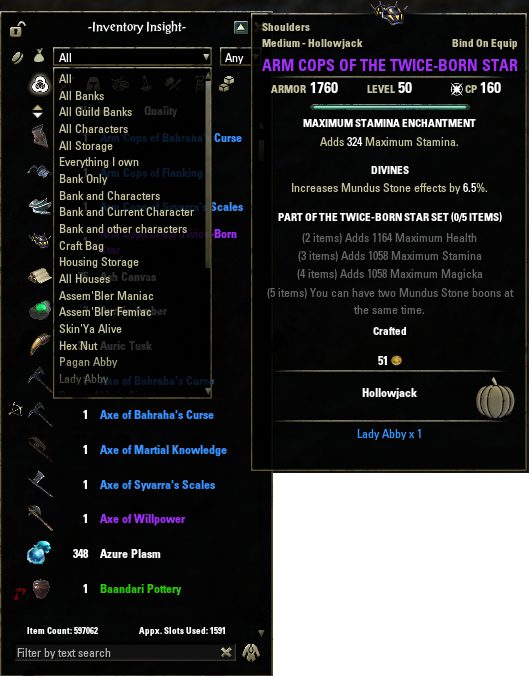
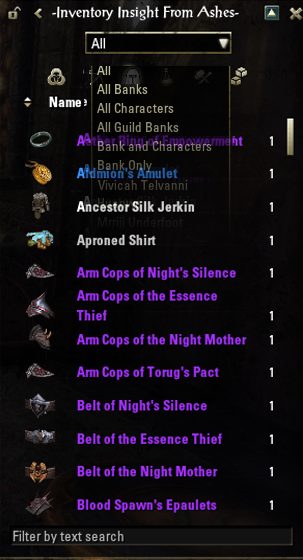
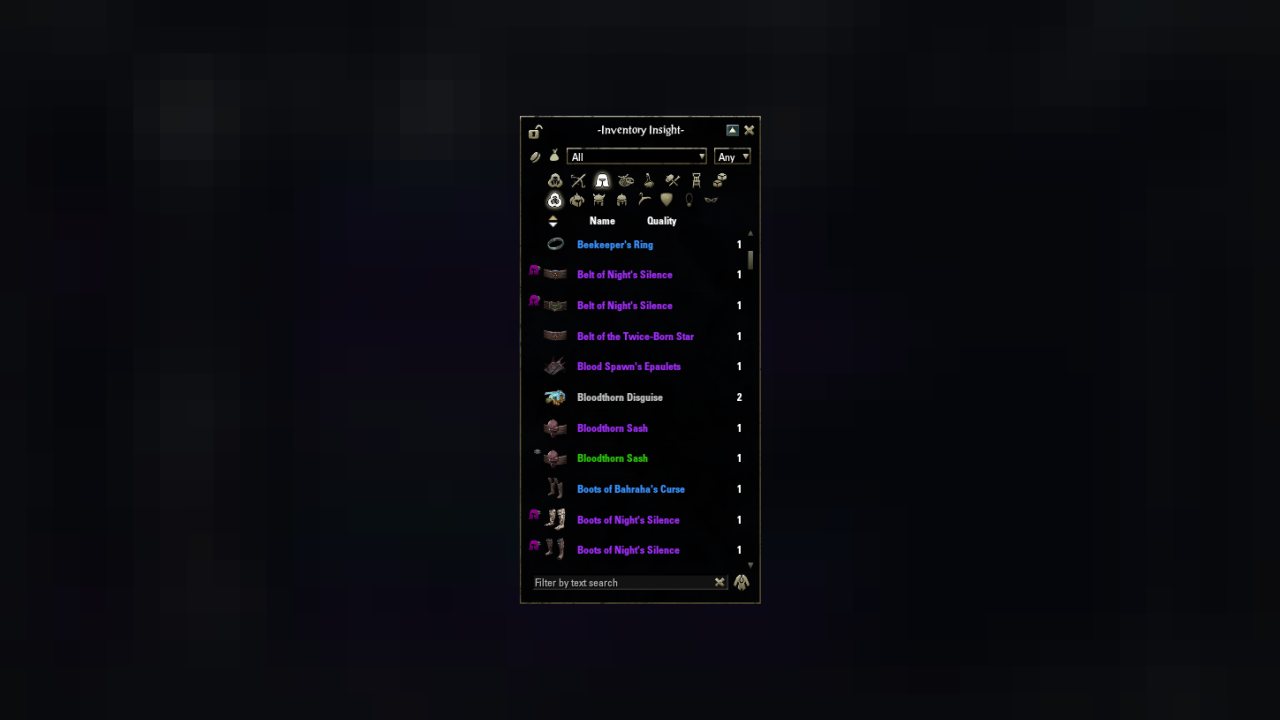
Tracking items placed in a player home is initially disabled. Because of this, once you enable the feature any houses you visited with the featured toggled off will be in the ignore list. This is intentional and will not be changed. You will have to remove each house form the ignore list in the…
One Inventory to rule them all!
(Items from banks, house storage, and all of the characters on your account! All in one place.)
What does it do?
- tracks everything in your characters' Bags, Bank, Guild Banks, CraftBag and Storage Chests
- tracks items in House(s) (configurable)
- keeps track of the Gold / AP / Telvar Stones / Writ Vouchers for each character
- keeps track of the space used/available for each character
- allows filtering your inventory by item type
- lets you search the items by name, or by set name
- adds data to item tooltip showing you where that item is located (all popups/tooltips, or only when over the Inventory Insight window)
- Tracks information separately between NA and EU
- FCO Item Saver integration
Tracking Housing Items:
Tracking items placed in a player home is initially disabled. Because of this, once you enable the feature any houses you visited with the featured toggled off will be in the ignore list. This is intentional and will not be changed. You will have to remove each house form the ignore list in the settings menu.
The game only allows access to the items while the player is in the house. Once the feature is enabled and the house is not in the ignore list, you will have to visit the house to track the items.
Recently added features:
- Companion Support
Library dependencies: (all are available here at ESOUI)
- Track multiple accounts: Voodoo might be possible
Where do I send massive qtys of gold or mats (or not so massive)?
We gladly accept donations:
NA: @AssemblerManiac
EU: @manavortex
ABOUT THIS LISTING
This page describes Inventory Insight by manavortex. The description and screenshots are the author's own, imported from their listing on ESOUI on 3 October 2026: https://www.esoui.com/downloads/info731-InventoryInsight.html
Mythiq.net hosts no files for it. The download button goes straight to the release file on cdn.esoui.com, so you are downloading from the author's own host, not from a copy of ours.
The download count, rating and comments on this page start at zero and count Mythiq.net only. The source's own figures are not copied here — they measure a different site, and a number that cannot be checked against our own ledger is not worth printing.
Media
Requirements
Game version
11.1.0
API VERSION
Built for ESO API version 11.1.0. After a patch the game marks add-ons built for the previous API as out of date; the "Allow out of date add-ons" checkbox in the add-on menu loads them anyway, and most work.
LIBRARIES
Many ESO add-ons depend on a shared library — LibAddonMenu-2.0 above all — which is installed separately, exactly like an add-on. A dependency that is missing shows as the add-on simply not appearing in the list.
CONSOLE
Add-ons are PC and Mac only. There is no way to load them on console.
Installation
1. Download the archive with the button on this page and unzip it.
2. Move the unzipped folder into your add-ons directory:
Windows — Documents\Elder Scrolls Online\live\AddOns
3. Start the game, and at the character select screen click Add-Ons.
4. Tick the add-on. If it is greyed out and marked out of date, tick "Allow out of date add-ons" at the top of the same panel.
5. Log in. Most add-ons need a /reloadui after they are first enabled.
UPDATING
Delete the old folder first. ESO loads everything it finds, and two copies of one add-on is the usual cause of "an add-on has produced an error" on login.
This release downloads from cdn.esoui.com, not from us, so
there is no checksum to compare against. Scan the archive before you unpack it.
Version history
v3.93Latest
12 Oct 2025 · 728 KB via cdn.esoui.com · 0 downloads Download
3.93
- Updated API to support FCOIS again because previous database overhaul broke the FCOIS integration
3.92
- Separate IIfA tooltip now properly clears when no item was found
3.91
- Updated separate IIfA tooltip positioning
NOTE: When the list of locations is really long such as for Soul gems I'm still working on how to decide where to position the separate tooltip. It will never be perfect if you have say 20 characters. I don't have 20 only maybe 9 or so but I'm still working on it.
3.89, 3.90
- Updated data collection for Furniture Vault
3.88
- Added other Furniture categories after realizing that because ZOS did not make the functionality I added to Inventory Insight, without generating the remaining constants other furniture items won't show up.
3.87
- Rough draft for Furniture Vault
3.86
- Update API functions to use proper argument for item link style more consistently to match database
3.85
- API Version bump for LibAsync
3.84
- Updates Settings Menu
- Added copy function for Scene Controls and Window Position
3.79, 3.80, 3.81, 3.82, 3.83
- Collectables that are considered Placed Furniture are now tracked
- Settings menu Reset Defaults now works without errors and covers all applicable settings
- Added Refresh Delay slider. May or may not improve performance when opening event boxes.
- Complete overhaul of Inventory Insight saved variables, with migration and cleanup of old data (Automatic *)
- The option to have Account Wide and Character Specific settings has been removed
- Frame Position and settings are character specific (As before but more persistent)
- All NA and EU data is now completely separated
- Remaining settings are account specific
- : The first character on each account you log into will be what settings and data is migrated. After that you will have to visit remaining houses and log into remaining characters to correct any discrepancies.
3.78
- Resolve Tooltip errors
3.77
- FCOIS Icon placement adjustment
3.76
- Added Furniture categories
NOTE: The developers do not provide any functionality for inventory filtering of Furniture. Which is why the previous versions used the vanilla menu layout.
3.73, 3.74, 3.75
- Attempt to address cleanupItemLocation() issues when database is cleared after a player fast travels
- Updated scroll list for main UI to include Companion name as a filter choice
3.72
- Added Companion Equipped and Player Equipped to filter dropdown
- Added Companion equipped icon. When unequipped the icon will not disappear without a refresh of the UI. Still investigating, no ETA.
- When crafting and improving items you will no longer have multiple copies without refreshing of the UI.
- Some items like lockpicks and key fragments were displayed on multiple lines due to in game item link differences. That's resolved now.
- Updated Motif Achievement feature
- Added the name of the companion the item is equipped to, to the tooltip.
3.71
- Updated Companion's filter category to include staves and bow
3.70
- Added filter categories for Scribing and Companion
- Updated Filter system
NOTE: Read the sticky post if you can't find Attunable Crafting Stations
3.69
- Updated version of dependencies in manifest file
3.68
- Fix for when configured font is unavailable
3.67
- Updated for U41
3.66
- Update to address resizeToFitDescendents warnings
3.65
- Update to address regression for subcategory dropdown
- Removed MRL support
Because of those that do not wish to help find the mod causing the conflict I removed the MRL support. I can't troubleshoot it because I'm not using the same mods as those with the issue. It would have been nice to know which mod was causing the issue. I especially can't without a LibDebugLogger file that was created while they had the issue.
Off-site on cdn.esoui.com —
no checksum, because we never held this file.
Link checked by our review team on 3 Oct 2026.
Tell us if something is wrong — a file that will not work, content taken from
someone else, or anything that looks unsafe. Reports go to our review team, not
to the author.
We use cookies to ensure that we give you the best experience on our website and improve your experience. By continuing to use this site you consent to such use of cookies.